MICROPHONE
REMOVAL
REMOVAL
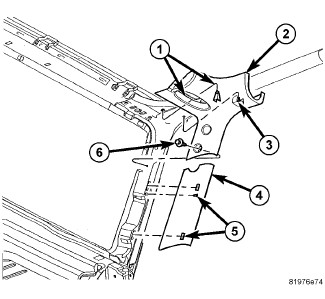 |
| NOTE: |
Passenger side shown, driver side similar. |
-
Remove the drivers
side A-pillar trim panel (2). (Refer to 23 - Body/Interior/PANEL, A-Pillar Trim - Removal)
.
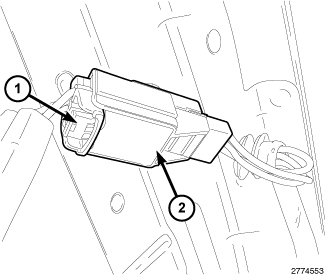
-
Disconnect the microphone
harness (1) from the instrument panel harness (2).
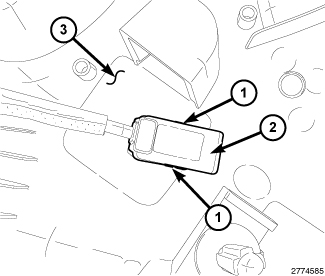
-
Remove the microphone
(2) from the trim panel (3) by carefully pushing in the tabs (1) on
the microphone and push microphone through the trim panel hole.
INSTALLATION
INSTALLATION
|
-
Install the microphone
(2) into the trim panel (3) until the two clips (1) clip into place.
-
Connect the microphone
harness (1) to the instrument panel harness (2).
NOTE: Passenger side shown, driver side similar.
-
Remove the drivers
side A-pillar trim panel (2) (Refer to 23 - Body/Interior/PANEL, A-Pillar Trim - Installation)
.