Panel Switches do not Function
Circuit diagnosis
INSPECTION PROCEDURE
| 1. CHECK PANEL SWITCH |

Check for foreign matter around the switches that might prevent operation.
- OK:
- No foreign matter is found.
|
|
||||

| OK | |
 |
| 2. CHECK PANEL SWITCH (DISPLAY CHECK MODE) |
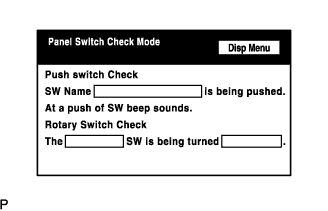  |
Enter the "Display Check" mode (Panel Switch Check) (Click here).
Operate the abnormal switch and check if the switch name and status are correctly displayed.
- OK:
- The switch name and status are correctly displayed as operated.
|
|
||||
| OK | ||
 |
||
| ||