Vehicle Position Mark Deviates Greatly
Circuit diagnosis
INSPECTION PROCEDURE
| 1. CHECK GPS MARK |

Check that the GPS mark is displayed.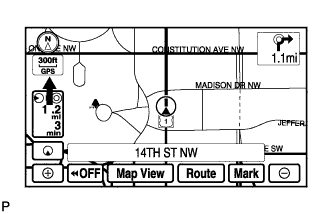

- OK:
- GPS mark is displayed.
|
|
||||

| OK | |
 |
| 2. CHECK VEHICLE SENSOR (NAVIGATION CHECK MODE) |
Enter the "Navigation Check" mode (Vehicle Sensors) (Click here).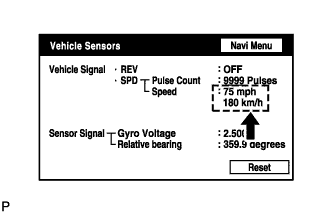
While driving the vehicle, compare the "Speed" indicator to the reading on the speedometer. Check that these readings are almost equal.
- OK:
- The readings are almost equal.
|
|
||||
| OK | |
|
| 3. CHECK VEHICLE SENSOR (NAVIGATION CHECK MODE) |
Check that the display changes between ON and OFF according to the shift lever operation (P and R).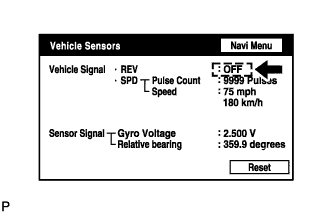
- OK:
Shift Lever Position
Display
P (A/T)
OFF
Reverse position
ON
- HINT:
- The display is updated once per second. It is normal for the display to lag behind the actual switch operation.
|
|
||||
| OK | ||
 |
||
| ||