To clear the diagnostic trouble codes from the computer's memory, do the following procedure:
| Fig. 1: Diagnostic trouble code chart — Pick-up
trucks
|
| Fig. 2: Diagnostic trouble code chart — Pick-up
trucks
|
| Fig. 3: Troubleshooting chart — Pick-up
trucks
|
| Fig. 4: Troubleshooting chart — Pick-up
trucks
|
| Fig. 5: Troubleshooting chart — Pick-up
trucks
|
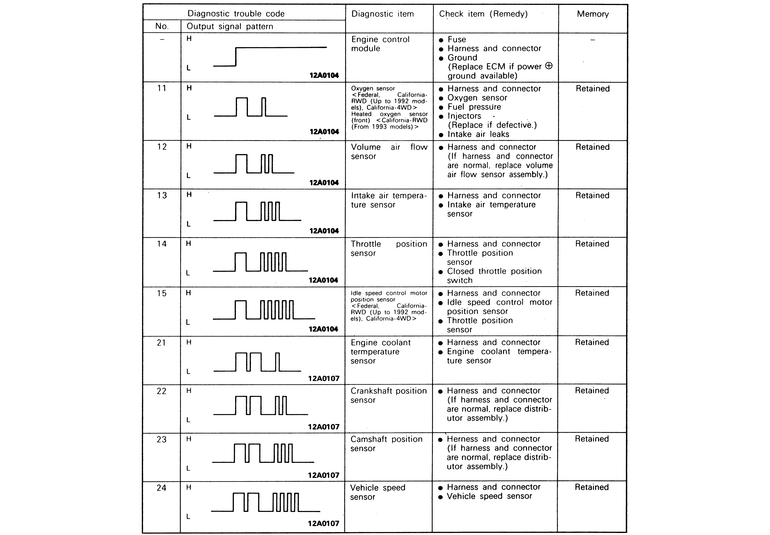
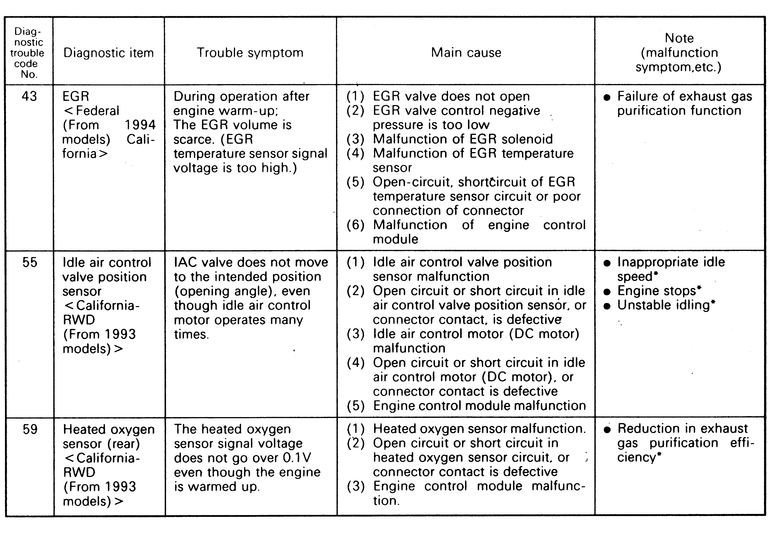
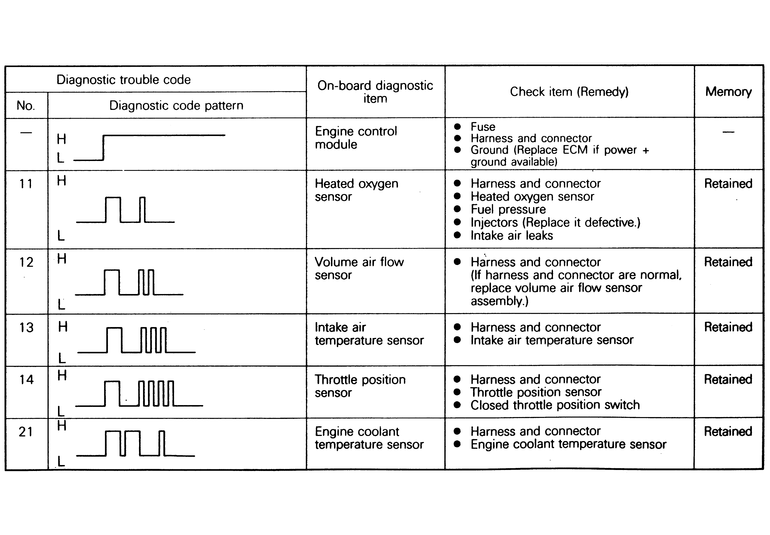
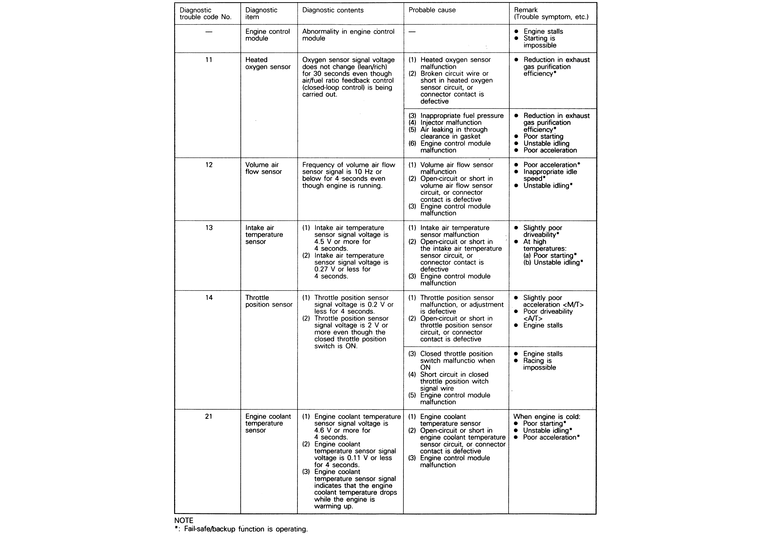
| Fig. 6: Diagnostic trouble code chart — Monteros
|
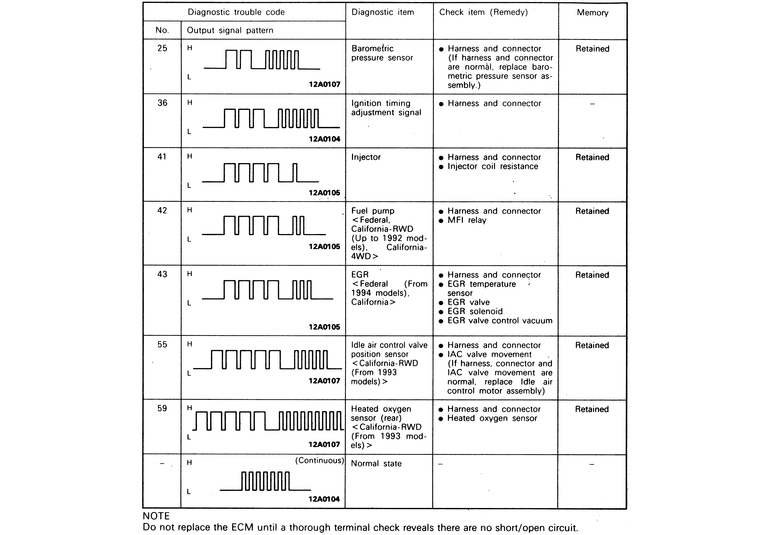
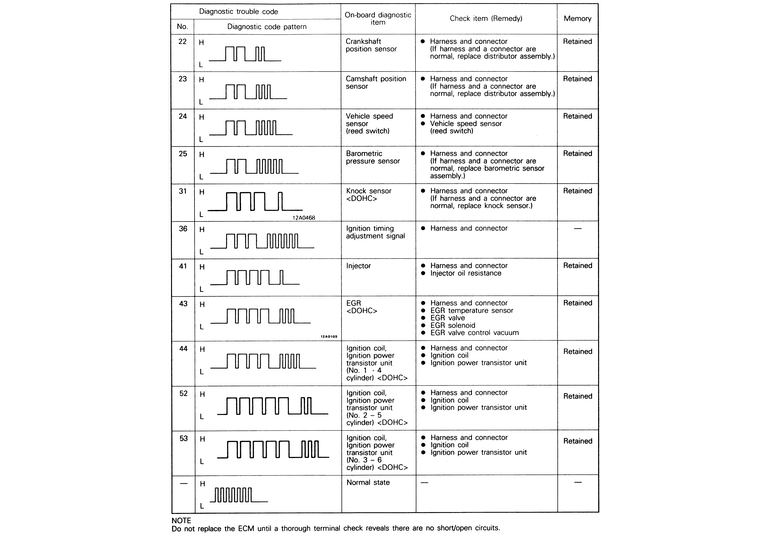
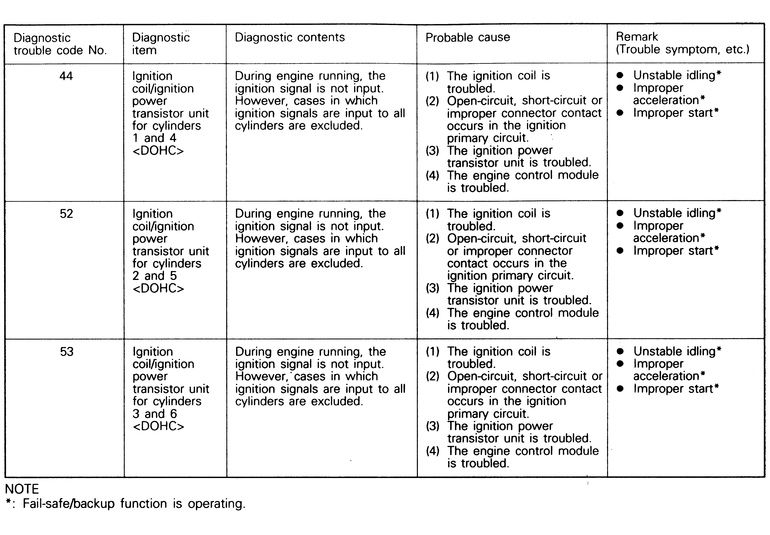
| Fig. 7: Diagnostic trouble code chart — Monteros
|
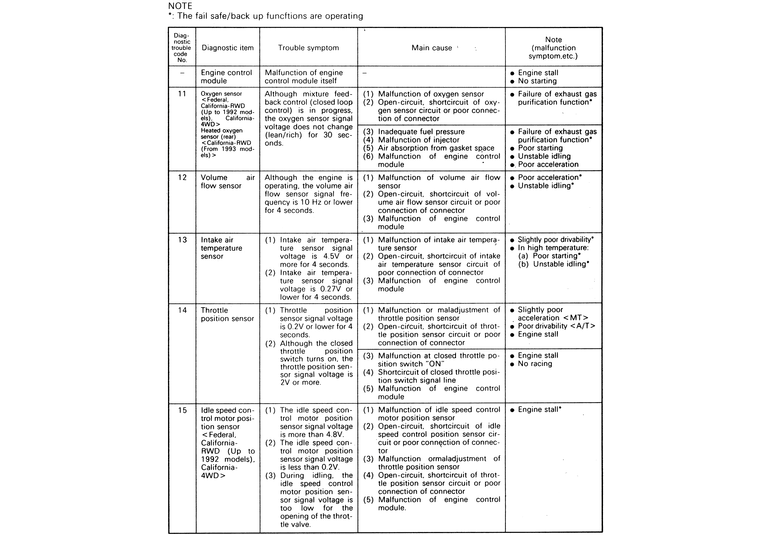
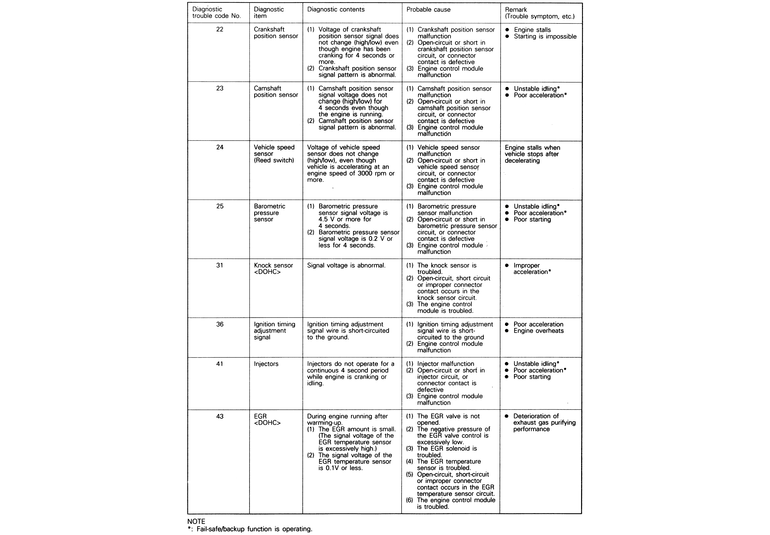
| Fig. 8: Diagnostic code troubleshooting chart — Monteros
|
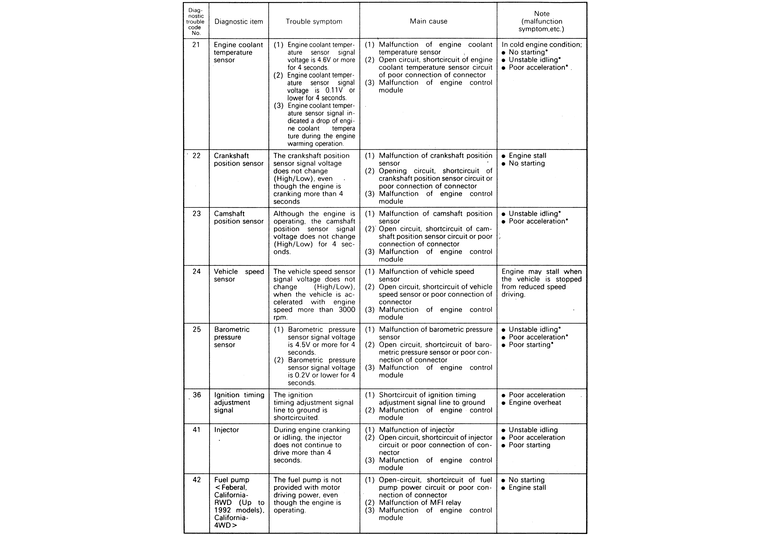
| Fig. 9: Diagnostic code troubleshooting chart — Monteros
|
| Fig. 10: Diagnostic code troubleshooting chart — Monteros
|
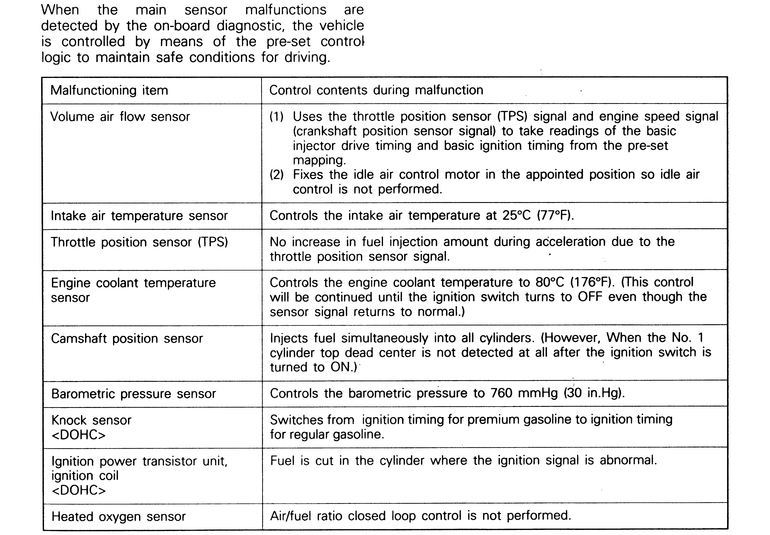
| Fig. 11: Fail-safe/backup function quick reference
table
|