DTC Clearance
Precautions: General safety (00)
NOTE:
For type distinction of OBD system, refer to “Discrimination for OBD System” under OBD System Description:M16A.
1)Set ignition “OFF”.
2)Connect SUZUKI scan tool or CAN communication OBD-II generic scan tool (type A, C, D and E) to DLC (1).
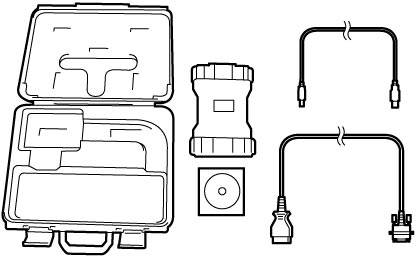
3)Set ignition “ON”.
4)Clear DTC and pending DTC according to instructions displayed on SUZUKI scan tool and print them or write them down. Refer to Operator's Manual of SUZUKI scan tool for further details.
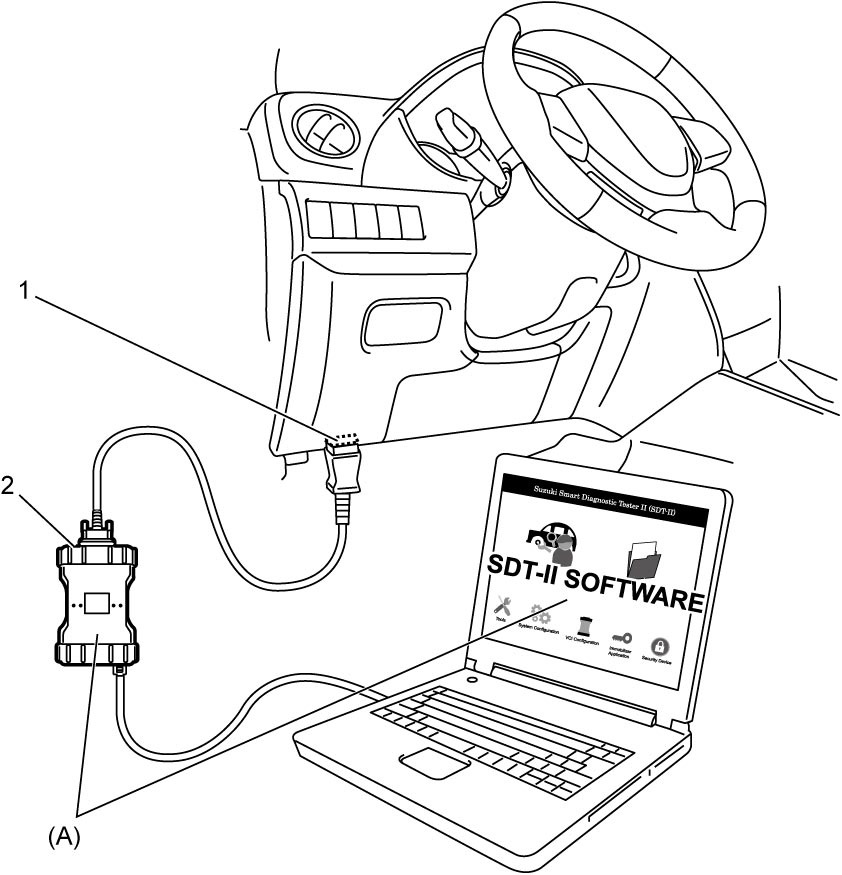

NOTE:
If communication between SUZUKI scan tool and ECM is not possible, perform the following checks:
•Check communication condition between PC and VCI (2) using SUZUKI scan tool function.
•Check DLC power circuit and ground circuit.
•Check DLC cable. If necessary, check DLC cable by substituting a known-good DLC cable.
•Check CAN communication system. (“Control Module Communication Bus Off” is detected in any control module.)
•Check ECM power circuit and ground circuit.
•Check DLC power circuit and ground circuit.
•Check DLC cable. If necessary, check DLC cable by substituting a known-good DLC cable.
•Check CAN communication system. (“Control Module Communication Bus Off” is detected in any control module.)
•Check ECM power circuit and ground circuit.
5)After completing DTC clearance, set ignition “OFF” and disconnect SUZUKI scan tool from DLC.
NOTE:
DTC and freeze frame data stored in ECM memory are also cleared in the following case. Be careful not to clear them before recording them.
•When the same malfunction (DTC) is not detected again for 40 engine warm-up cycles. (See “Warm-Up Cycle” under OBD System Description:M16A.)