DTC P2111 Throttle Actuator Control System - Stuck Open |
DTC P2112 Throttle Actuator Control System - Stuck Closed |
| DTC No. | DTC Detection Condition | Trouble Area |
| P2111 | Throttle actuator does not close when signaled by the ECM (1 trip detection logic). |
|
| P2112 | Throttle actuator does not open when signaled by the ECM (1 trip detection logic). |
|
| Related DTCs | P2111: Throttle actuator stuck open P2112: Throttle actuator stuck closed |
| Required Sensors/Components (Main) | Throttle actuator |
| Required Sensors/Components (Related) | - |
| Frequency of Operation | Continuous |
| Duration | 0.5 seconds |
| MIL Operation | Immediate |
| Sequence of Operation | None |
| Monitor runs whenever following DTCs not present | None |
| System guard* judge condition | ON |
| Throttle actuator current | 2 A or higher |
| Duty cycle to open throttle | 80% or more |
| *: System guard set when following conditions are met: | - |
| Throttle actuator | ON |
| Throttle actuator duty calculation | Executing |
| Throttle position sensor fail | Not detected |
| Throttle actuator current-cut operation | Not executing |
| Throttle actuator power supply | 4 V or higher |
| Throttle actuator fail | Not detected |
| Throttle position sensor voltage | No change |
| Tester Display | Description |
| NORMAL |
|
| ABNORMAL |
|
| INCOMPLETE |
|
| N/A |
|
| 1.CHECK ANY OTHER DTCS OUTPUT (IN ADDITION TO DTC P2111 OR P2112) |
Connect the Techstream to the DLC3.
Turn the ignition switch to ON.
Turn the Techstream on.
Enter the following menus: Powertrain / Engine and ECT / Trouble Codes.
Read DTCs.
| Display (DTC Output) | Proceed to |
| P2111 or P2112 is output | A |
| P2111 or P2112 and other DTCs are output | B |
|
| ||||
| A | |
 |
| 2.INSPECT THROTTLE BODY WITH MOTOR ASSEMBLY (VISUALLY CHECK THROTTLE VALVE) |
Check for contamination between the throttle valve and housing. If necessary, clean the throttle body with motor assembly and check that the throttle valve moves smoothly.
|
| ||||
| OK | |
|
| 3.READ VALUE USING TECHSTREAM (THROTTLE POSITION) |
Connect the Techstream to the DLC3.
Turn the ignition switch to ON.
Turn the tester on.
Clear DTCs (Click here).
Turn the ignition switch off and wait for at least 30 seconds.
Turn the ignition switch to ON.
Enter the following menus: Powertrain / Engine and ECT / Data List / All Data / Throttle Position No. 1, Throttle Position No. 2 and Throttle Position Command.
Check the values displayed on the tester while wiggling the ECM wire harness.
Enter the following menus: Powertrain / Engine and ECT / Trouble Codes.
Check for DTCs.
| Result | Proceed to |
| Value in Data List changes when wire harness is wiggled, or DTC is output* | A |
| Other than above | B |
|
| ||||
| A | |
|
| 4.REPAIR OR REPLACE HARNESS OR CONNECTOR (ECM - THROTTLE BODY WITH MOTOR ASSEMBLY) |
As the DTC was stored due to a change in the contact resistance of the connector, repair or replace the wire harness or connector (Click here).
| NEXT | ||
 | ||
| ||
| 5.REPLACE THROTTLE BODY WITH MOTOR ASSEMBLY |
Replace the throttle body with motor assembly (Click here).
| NEXT | |
|
| 6.CHECK WHETHER DTC OUTPUT RECURS (DTC P2111 OR P2112) |
Connect the Techstream to the DLC3.
Turn the ignition switch to ON.
Turn the Techstream on.
Clear DTCs (Click here).
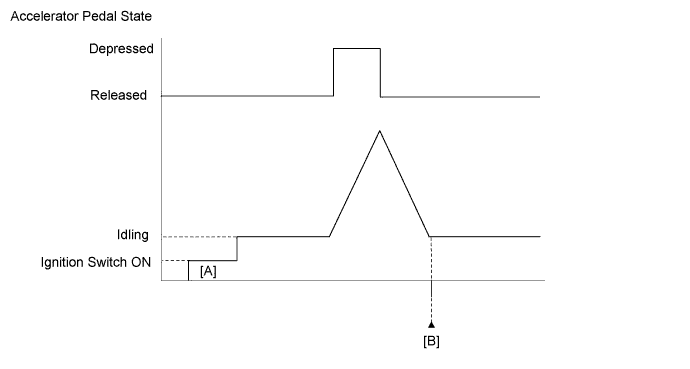
Start the engine, and fully depress and release the accelerator pedal quickly (to fully open and close the throttle valve).
Enter the following menus: Powertrain / Engine and ECT / Trouble Codes.
Read DTCs.
| Display (DTC Output) | Proceed to |
| No DTC | A |
| P2111 or P2112 | B |
|
| ||||
| A | ||
| ||
| ||

