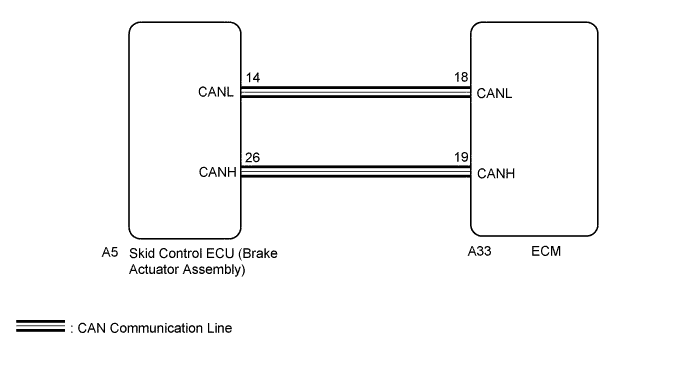
DTC P0500 Vehicle Speed Sensor "A" |
| DTC No. | DTC Detection Condition | Trouble Area |
| P0500 | The vehicle speed signal from the driving wheels is 300 km/h or more for 2.5 seconds or more. (1 trip detection logic) |
|

| GTS Display | Description |
| NORMAL |
|
| ABNORMAL |
|
| INCOMPLETE |
|
| N/A |
|

| 1.READ VALUE USING GTS (VEHICLE SPEED) |
Connect the GTS to the DLC3.
Turn the ignition switch to ON and turn the GTS on.
Enter the following menus: Powertrain / Engine / Data List / Vehicle Speed.
Drive the vehicle.
Read the value displayed on the GTS.
| Result | Proceed to |
| Values displayed on GTS and speedometer display not equal | A |
| Values displayed on GTS and speedometer display equal | B |
|
| ||||
| A | |
| 2.CHECK DTC OUTPUT (VEHICLE STABILITY CONTROL SYSTEM) |
Connect the GTS to the DLC3.
Turn the ignition switch to ON.
Turn the GTS on.
Enter the following menus: Chassis / ABS/VSC/TRAC / Trouble Codes.
Read DTCs (Click here).
| Result | Proceed to |
| No DTC is output | A |
| No DTCs are output | B |
|
| ||||
| A | |
| 3.CHECK WHETHER DTC OUTPUT RECURS |
Connect the GTS to the DLC3.
Turn the ignition switch to ON.
Turn the GTS on.
Clear the DTCs (Click here).
Turn the ignition switch off and wait for at least 30 seconds.
Turn the ignition switch to ON.
Turn the GTS on.
Start the engine and warm it up.
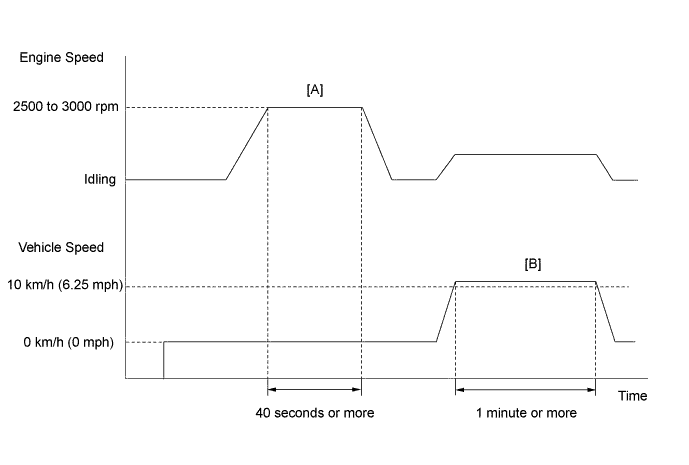
Drive the vehicle in accordance with the driving pattern described in Confirmation Driving Pattern.
Enter the following menus: Powertrain / Engine / Trouble Codes.
| Result | Proceed to |
| DTC is not output | A |
| DTC P0500 is output | B |
|
| ||||
| A | ||
| ||