Brake Warning Light does not Come ON
Circuit diagnosis · Vehicles built from Jun 2009
Versions by build date: Jun 2006 – Sep 2006 Oct 2006 – May 2009 from Jun 2009
DESCRIPTION
The skid control ECU is connected to the combination meter assembly via CAN communication.WIRING DIAGRAM
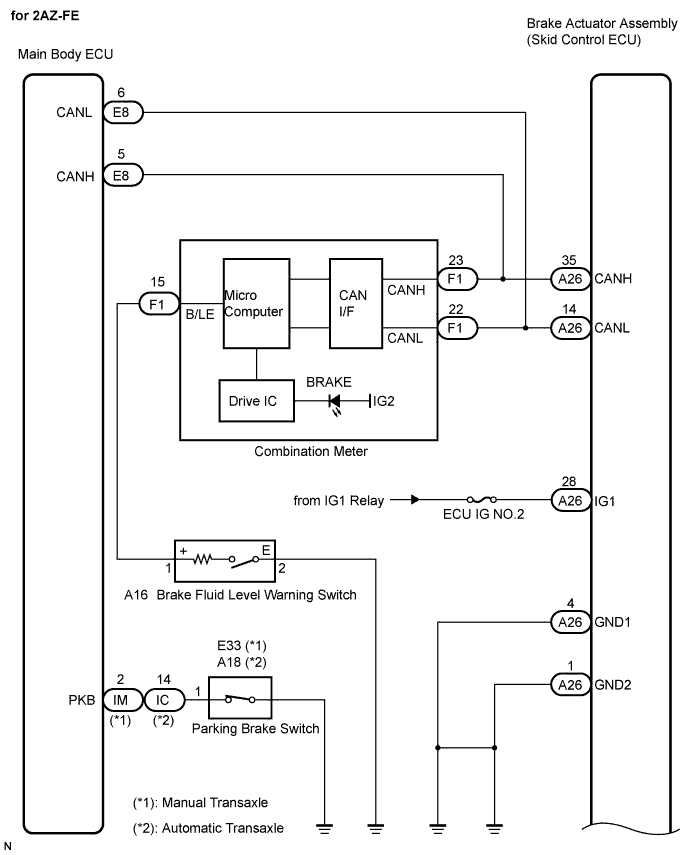

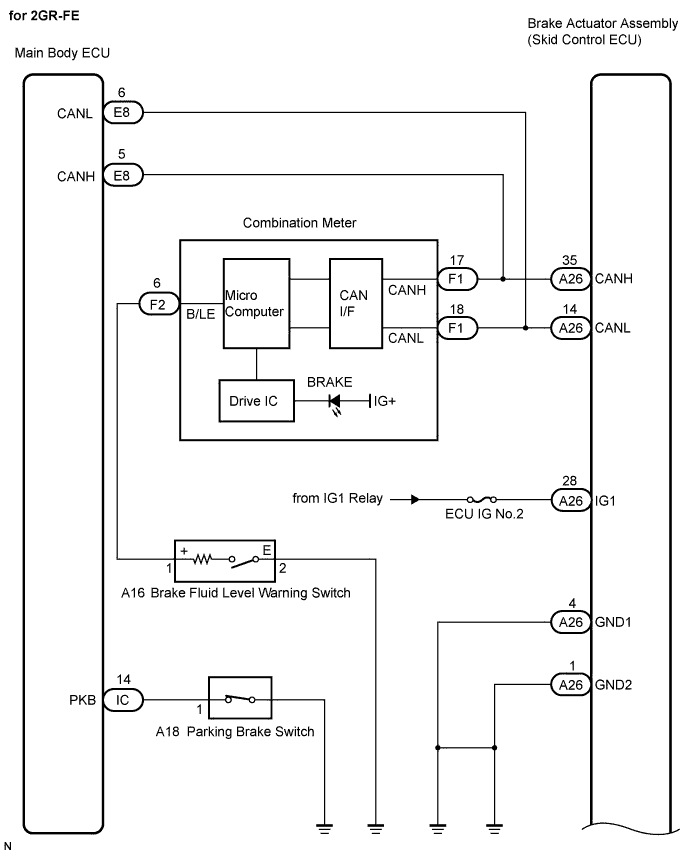
INSPECTION PROCEDURE
- HINT:
- Check the condition of each related circuit connector before troubleshooting (Click here).
| 1. CHECK CAN COMMUNICATION SYSTEM |
 |
Check if a CAN communication system DTC is output (Click here).
- Result:
Result
|
Proceed to
|
CAN communication system DTC is not output
|
A
|
CAN communication system DTC is output
|
B
|
|
B |
 |
|
|
|
| A |
|
 |
|
| 2. CHECK BRAKE WARNING LIGHT |
|
Disconnect the skid control ECU connector.
Turn the ignition switch on (IG).
Check that the BRAKE warning light comes on.
- OK:
- The BRAKE warning light comes on.
Connect the connector.
|
OK |
|
|
|
|
| NG |
|
|
|
| 3. INSPECT COMBINATION METER ASSEMBLY |
|
Connect the intelligent tester to the DLC3.
Select the "Active Test" on the tester (Click here).
Active Test: ABS/TRC/VSC
Tester Display
|
Test Part
|
Control Range
|
Diagnostic Note
|
BRAKE Warning Lamp
|
BRAKE warning light
|
Warning light ON/OFF
|
Observe combination meter
|
Check BRAKE warning light operation.
- OK:
- The BRAKE warning light turns on or off in accordance with the intelligent tester.
|
NG |
|
|
| REPLACE COMBINATION METER ASSEMBLY |
|
|
| OK |
|
 |
|
|