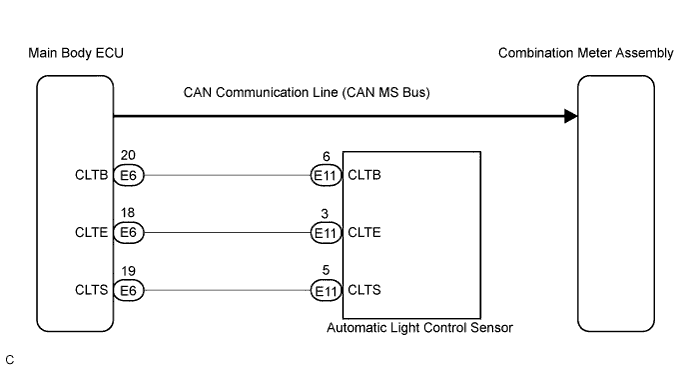
METER / GAUGE SYSTEM > Meter Illumination is Always Dark |
| 1.CHECK CAN COMMUNICATION SYSTEM |
Check if CAN communication DTC is output (Click herefor LHD, Click here for RHD).
| Result | Proceed to |
| CAN communication DTC is not output. | A |
| CAN communication DTC is output. | B (Click herefor LHD, Click here for RHD) |
|
| ||||
| A | |
 |
| 2.CHECK DTC |
Check if DTC B1244 is output (Click here).
| Result | Proceed to |
| B1244 is not output | A |
| B1244 is output | B (Click here) |
|
| ||||
| A | |
|
| 3.PERFORM ACTIVE TEST USING INTELLIGENT TESTER |
Connect the intelligent tester to the DLC3.
Turn the ignition switch to the ON position.
Turn the tester ON.
Light control switch TAIL/HEAD.
Enter the following menus: Diagnosis / Body / Main Body / Active Test.
Check the meter illumination.
| Tester Display | Measurement Item/Range | Diagnostic Note |
| Dimmer Sig | Auto dimmer signal ON/OFF | - |
|
| ||||
| OK | ||
 | ||
| ||
| 4.REPLACE COMBINATION METER ASSEMBLY |
Replace the combination meter assembly with a new or a normal one.
|
| ||||
| OK | ||
| ||
| ||

