PARKING ASSIST MONITOR SYSTEM > DIAGNOSIS SYSTEM |
| PARKING ASSIST MONITOR DIAGNOSIS SYSTEM |
For parking assist monitor system diagnosis, signals received by the navigation ECU sub-assembly can be checked and the parking assist monitor system can be calibrated, adjusted and checked using the navigation ECU sub-assembly.
| DIAGNOSIS SCREEN TRANSITION (during parking assist monitor system initialization) |
| DIAGNOSIS SCREEN TRANSITION (after parking assist monitor system initialization) |
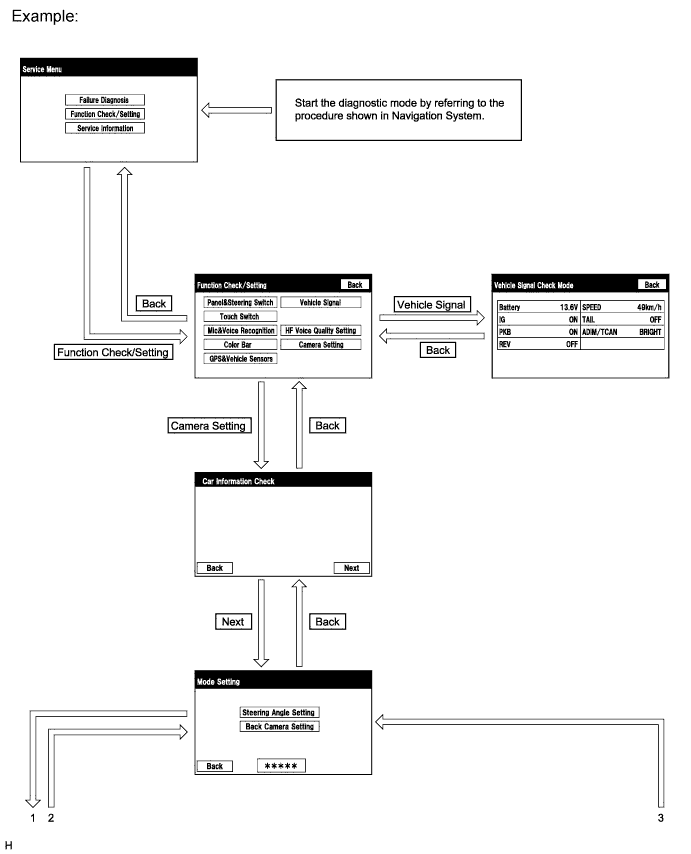
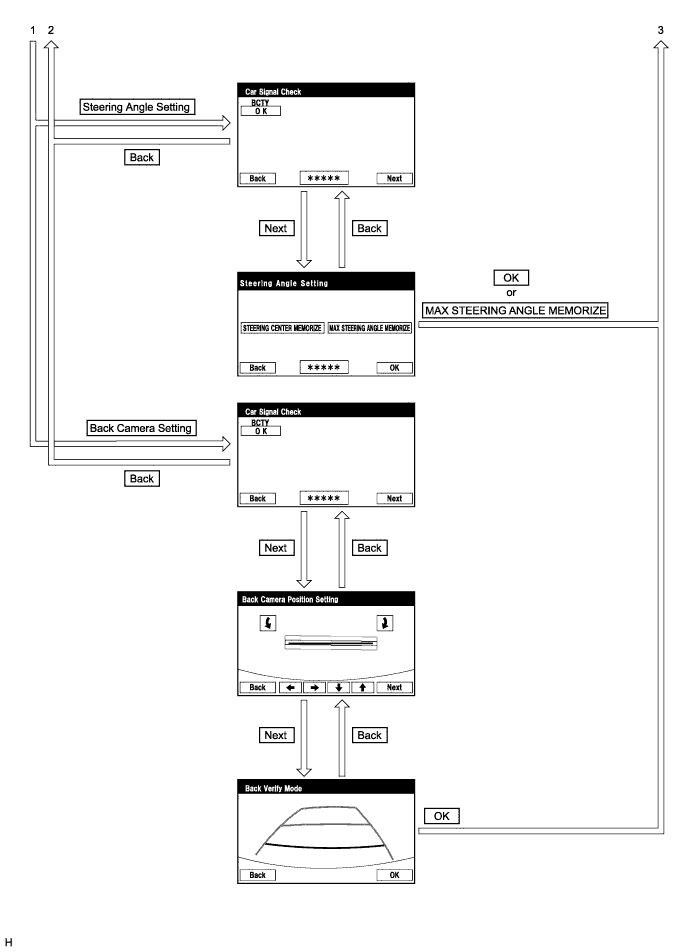
| VEHICLE SIGNAL CHECK |
Start diagnostic mode (Click here).
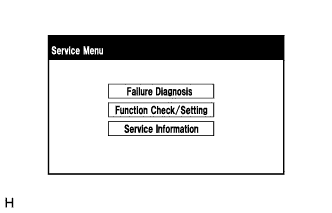 |
Select "Function Check/Setting" on the "Service Menu" screen to display the "Function Check/Setting" screen.
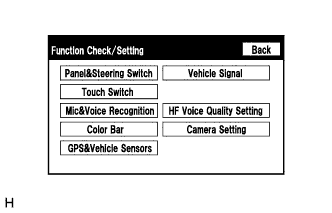 |
Select "Vehicle Signal" on the "Function Check/Setting" screen.
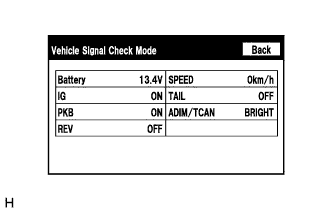 |
Vehicle Signal Check Mode
When the "Vehicle Signal Check Mode" screen is displayed, check "REV" the vehicle signal conditions.
Finish diagnostic mode (Click here).
| CAR SIGNAL CHECK (parking assist monitor system input signals) |
Start diagnostic mode (Click here).
|
Select "Function Check/Setting" on the "Service Menu" screen to display the "Function Check/Setting" screen.
|
Select "Camera Setting" on the "Function Check/Setting" screen.
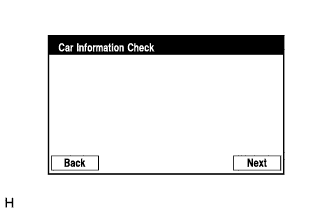 |
Select "Next" on the "Car Information Check" screen.
| Parking Assist Monitor System Initialization | Screen Transition |
| Not performed | Car Signal Check screen |
| Performed | Mode Setting screen |
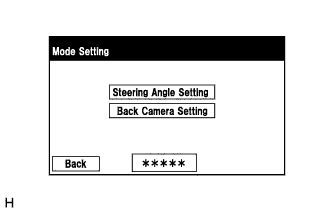 |
When the screen changes to the "Mode Setting" screen, select "Back Camera Setting" to display the "Car Signal Check" screen.
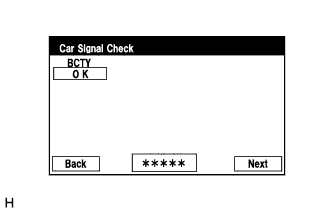 |
Car Signal Check
On the "Car Signal Check" screen, it is possible to inspect the state of signals and check the settings.
| Item | Inspection Detail | Note |
| BCTY | Luggage compartment door courtesy light switch signal input | When "CHK" (red) is displayed, selecting "Next" will not change to the next screen. |
BCTY inspection
Finish diagnostic mode (Click here).
| CALIBRATION WHEN SERVICING VEHICLE |