NAVIGATION / MULTI INFO DISPLAY NAVIGATION SYSTEM(for Navigation Receiver Type) CD/DVD Sound Skips
CAUTION / NOTICE / HINT
- HINT:
-
When replacing the navigation receiver assembly, it is necessary to perform the vehicle contract setting for Connected Services (w/ Connected Services Function).
PROCEDURE
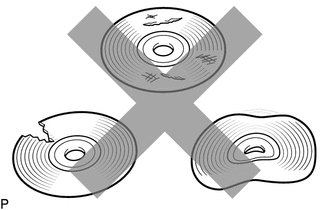
Check that the disc is not deformed or cracked.
- OK:
No deformation or cracks on the disc.
OK
NG
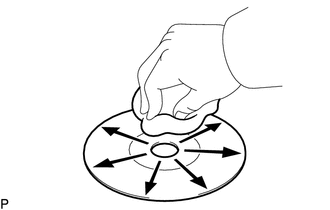
Disc cleaning
If dirt is on the disc surface, wipe it clean with a soft cloth from the inside to the outside in a radial direction.
- OK:
Malfunction disappears.
- NOTICE:
-
Do not use a conventional record cleaner or antistatic preservative.
OK
NG
Replace the disc with a known good one and check that the malfunction disappears.
- OK:
Malfunction disappears.
OK
NG
Check that the navigation receiver assembly is properly installed
- OK:
Navigation receiver assembly is properly installed.
OK
NG
(See pageAudio / Visual / Telematics>NAVIGATION / MULTI INFO DISPLAY>NAVIGATION RECEIVER>INSTALLATION)