OPERATION CHECK
Troubleshooting · Vehicles built from Jan 2012
Versions by build date: Sep 2011 – Dec 2011 from Jan 2012
Enter diagnostic mode (Click here).
- HINT:
- Use the remote control for each inspection.
- This mode checks the color display on the television display assembly.
- The television display assembly is not a touch panel type. Do not touch the screen.
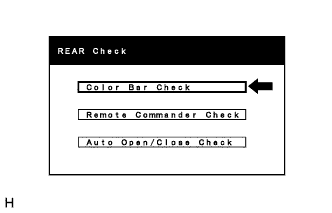
Color Bar Check
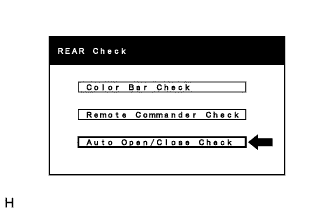
- Select "Color Bar Check" from the "REAR Check" screen.
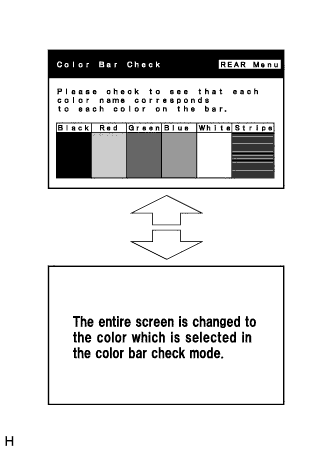
- Select a color bar from the "Color Bar Check" screen.
Check the display color.
- HINT:
- The entire screen turns to the color or stripe which is selected.
- The screen returns to the "Color Bar Check" screen if the remote controller is operated again.
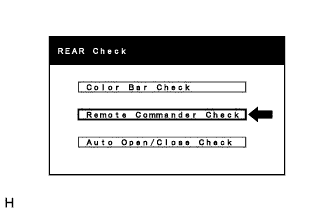
Remote Commander Check
- Select "Remote Commander Check" from the "REAR Check" screen.
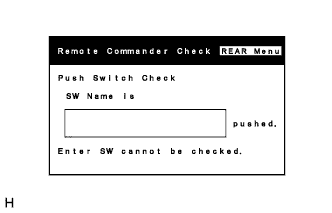
- Operate each switch and check that the switch name and condition are correctly displayed.
Auto Open/Close Check
- Select "Auto Open/Close Check" from the "REAR Check" screen.
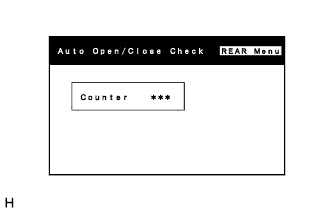
- Confirm the number of open/close cycles of the television display assembly.
- HINT:
- The counter indicates the number of times the television display assembly has been opened to an angle of 90° or greater.