AUDIO / VIDEO AUDIO AND VISUAL SYSTEM(w/ Multi-display) Touch Panel Switch does not Function
PROCEDURE
Check if there is any foreign matter caught between the display and exterior frame of the multi-display assembly.
- OK:
No foreign matter is caught between the display and exterior frame of the multi-display assembly.
- HINT:
-
If there is foreign matter between the display and exterior frame of the multi-display assembly, the touch panel will remain pressed, preventing touch switch operation.
OK
NG
Check for foreign matter on the display.
- OK:
The display is clean.
OK
NG
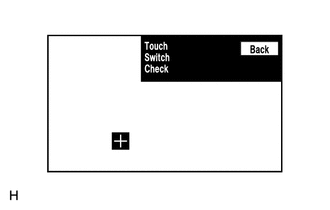
Enter the "Touch Switch Check" screen. Refer to Check Touch Switch in Operation Check (See page Audio / Visual / Telematics>AUDIO / VIDEO>AUDIO AND VISUAL SYSTEM (w/ Multi-display)>OPERATION CHECK).
Touch the display in the area where the switch malfunction occurs.
- OK:
A "+" mark appears at the touched position.
OK
NG