2ZR-FXE COOLING RADIATOR REMOVAL
PROCEDURE

 1. PRECAUTION
- NOTICE:
-
After turning the power switch off, waiting time may be required before disconnecting the cable from the negative (-) auxiliary battery terminal. Therefore, make sure to read the disconnecting the cable from the negative (-) auxiliary battery terminal notice before proceeding with work (See page General>INTRODUCTION>REPAIR INSTRUCTION>PRECAUTION).
53289A
2.REMOVE RADIATOR SUPPORT OPENING COVER
58410B
3.REMOVE DECK BOARD ASSEMBLY
58411A
4.REMOVE NO. 1 DECK BOARD
58412A
5.REMOVE NO. 2 DECK BOARD
64993
6.REMOVE REAR DECK FLOOR BOX
64995
7.REMOVE DECK FLOOR BOX RH
8.DISCONNECT CABLE FROM NEGATIVE AUXILIARY BATTERY TERMINAL
- NOTICE:
-
When disconnecting the cable, some systems need to be initialized after the cable is reconnected (See page General>INTRODUCTION>REPAIR INSTRUCTION>INITIALIZATION).
51441
9.REMOVE NO. 1 ENGINE UNDER COVER
10.DRAIN COOLANT (for Engine)
16571C
11.DISCONNECT NO. 1 RADIATOR HOSE
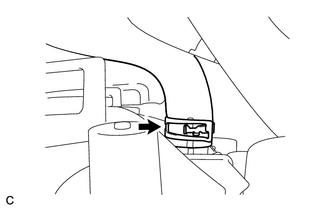
Disconnect the No. 1 radiator hose from the radiator assembly.
16572D
12.DISCONNECT NO. 2 RADIATOR HOSE
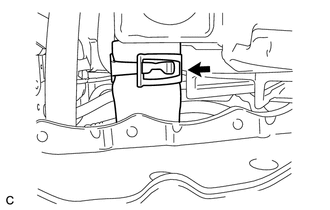
Disconnect the No. 2 radiator hose from the radiator assembly.
13.REMOVE FRONT BUMPER ASSEMBLY
88211B
14.REMOVE MILLIMETER WAVE RADAR SENSOR ASSEMBLY (w/ Dynamic Radar Cruise Control System)
88215
15.REMOVE NO. 1 MILLIMETER WAVE RADAR SENSOR BRACKET (w/ Dynamic Radar Cruise Control System)
G9214
16.REMOVE NO. 1 INVERTER BRACKET
53208A
17.REMOVE HOOD LOCK SUPPORT SUB-ASSEMBLY
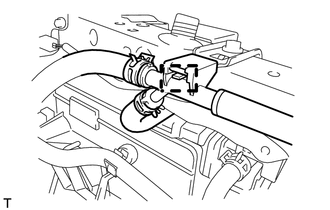
Disconnect the water by-pass hose clamp from the radiator support RH.
w/o Engine hood courtesy switch:
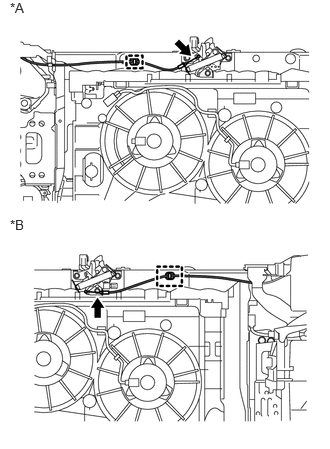
Disconnect the clamp and hood lock control cable wire.
| *A | for LHD |
| *B | for RHD |
w/ Engine hood courtesy switch:
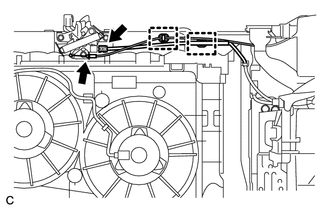
Disconnect the clamp and hood lock control cable wire.
Disconnect the clamp and engine hood courtesy switch connector.
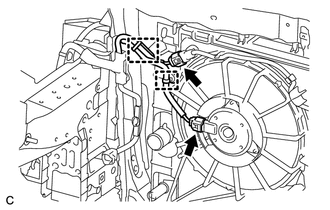
Disconnect the 2 clamps and 2 connectors.
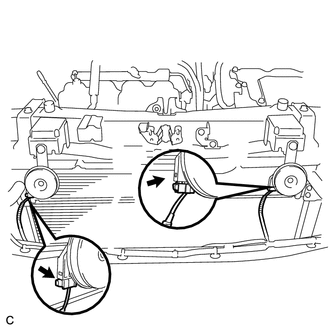
Disconnect the 2 connectors.
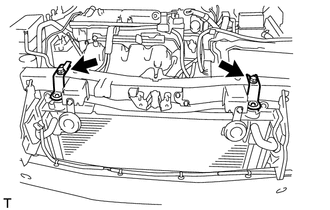
Remove the 2 bolts, radiator support RH and radiator support LH.
Remove the 2 radiator support cushions from the radiator support RH and radiator support LH.
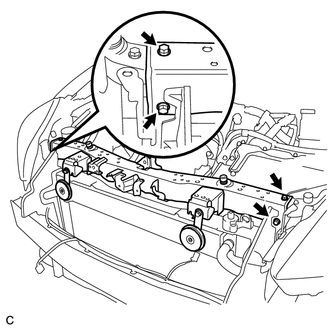
Remove the 4 bolts and hood lock support sub-assembly.
17705
18.REMOVE AIR CLEANER CAP SUB-ASSEMBLY
17750A
19.REMOVE INLET AIR CLEANER ASSEMBLY
20.REMOVE AIR CLEANER CASE
16712
21.REMOVE NO. 2 FAN SHROUD
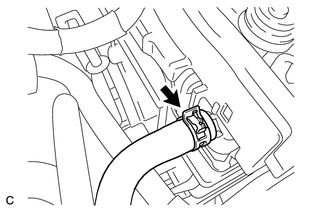
Disconnect the No. 1 water by-pass hose from the radiator assembly.
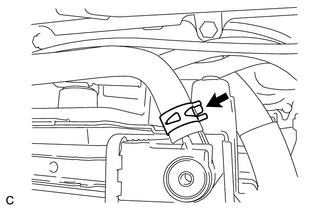
Disconnect the No. 3 water by-pass hose from the radiator assembly.
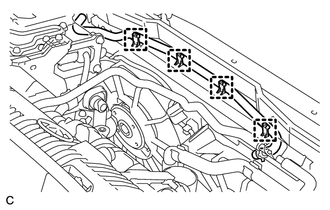
Disconnect the 4 clamps and No. 3 water by-pass hose from the No. 2 fan shroud.
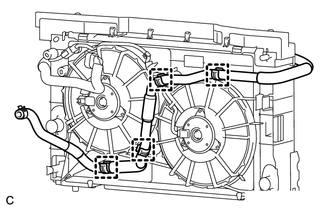
Disconnect the 4 clamps and No. 5 inverter cooling hose from the fan shroud.
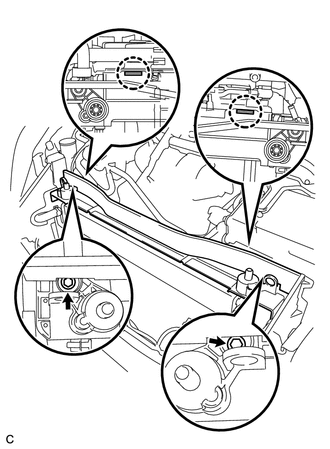
Remove the 2 bolts, 2 claws and No. 2 fan shroud from the radiator assembly.
16400
22.REMOVE RADIATOR ASSEMBLY
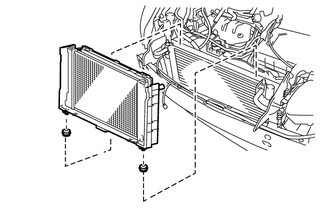
Remove the radiator assembly with the fan shroud.
- NOTICE:
-
Do not apply any excessive force to the radiator assembly (for inverter coolant), cooler condenser assembly or pipe when removing the radiator assembly.
Remove the 2 lower radiator supports.
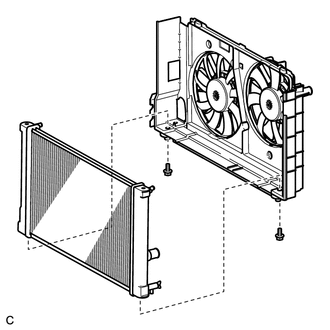
Remove the 2 bolts and radiator assembly.