 |
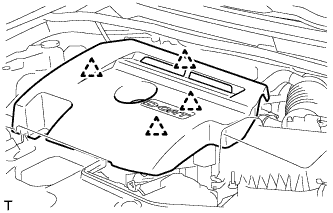
Detach the 4 clips and remove the engine cover.
- NOTICE:
- Attempting to disengage both front and rear clips at the same time may cause the cover to break.
GENERATOR > REMOVAL |
| 1. DISCONNECT CABLE FROM NEGATIVE BATTERY TERMINAL |
| 2. REMOVE NO. 1 ENGINE COVER |
|
Detach the 4 clips and remove the engine cover.
| 3. REMOVE FAN AND GENERATOR V BELT |
Remove the fan and generator V belt (Click here).
| 4. REMOVE FRONT DRIVE SHAFT ASSEMBLY RH |
Remove the front drive shaft (Click here).
| 5. REMOVE WIRE HARNESS CLAMP BRACKET (for DPF) |
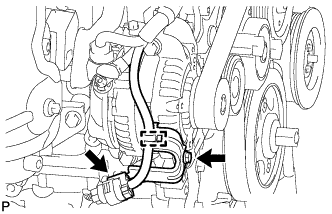 |
Disconnect the sensor connector and detach the wire harness clamp.
Remove the bolt and wire harness clamp bracket.
| 6. REMOVE GENERATOR ASSEMBLY |
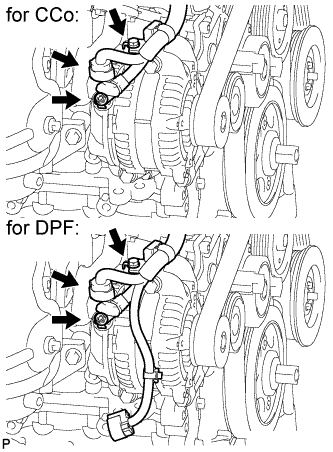 |
Detach the wire harness clamp and disconnect the generator connector.
Remove the terminal cap.
Remove the nut and bolt, and disconnect the generator wire.
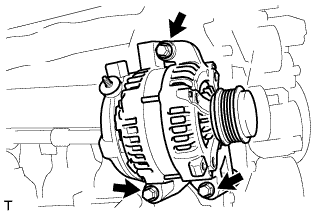 |
Remove the 3 bolts and generator.