NAVIGATION / MULTI INFO DISPLAY NAVIGATION SYSTEM B1532 LVDS Signal Malfunction (from Extension Module)
DESCRIPTION
| DTC No. | Detection Item | DTC Detection Condition | Trouble Area |
|---|---|---|---|
| B1532 | LVDS Signal Malfunction (from Extension Module) | When either condition below is met:
·
Video signal (digital) is lost. ·
The stereo component tuner assembly is not connected while the ignition switch is ON or ACC. ·
Communication between the navigation receiver assembly and the stereo component tuner assembly is not possible when the engine is started. |
·
No. 1 navigation wire ·
Stereo component tuner assembly ·
Navigation receiver assembly |
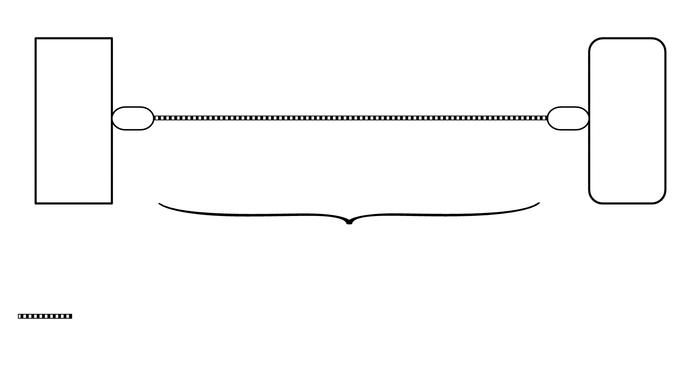
WIRING DIAGRAM
CAUTION / NOTICE / HINT
- NOTICE:
- ·
After replacing the stereo component tuner assembly of vehicles subscribed to pay-type satellite radio broadcasts, XM radio ID registration is necessary.
·Check that the wire harness is properly installed and does not have any sharp bends, pinching or loose connections.
Click hereGeneral>INTRODUCTION>HOW TO TROUBLESHOOT ECU CONTROLLED SYSTEMS>HOW TO PROCEED WITH TROUBLESHOOTING
PROCEDURE
Clear the DTCs.
Click hereAudio / Visual / Telematics>NAVIGATION / MULTI INFO DISPLAY>NAVIGATION SYSTEM>DTC CHECK / CLEAR
- Body Electrical > Navigation System > Clear DTCs
- 50002 212
Check for DTCs.
Click hereAudio / Visual / Telematics>NAVIGATION / MULTI INFO DISPLAY>NAVIGATION SYSTEM>DTC CHECK / CLEAR
- Body Electrical > Navigation System > Trouble Codes
- 50001 212
- OK:
No DTCs are output.
- Result:
Proceed to OK NG
OK
Click hereGeneral>INTRODUCTION>HOW TO TROUBLESHOOT ECU CONTROLLED SYSTEMS>HOW TO PROCEED WITH TROUBLESHOOTING
NG
Replace the No. 1 navigation wire with a known good one.
Click hereAudio / Visual / Telematics>NAVIGATION / MULTI INFO DISPLAY>NAVIGATION RECEIVER>REMOVAL
Clear the DTCs.
Click hereAudio / Visual / Telematics>NAVIGATION / MULTI INFO DISPLAY>NAVIGATION SYSTEM>DTC CHECK / CLEAR
- Body Electrical > Navigation System > Clear DTCs
- 50002 212
Check for DTCs.
Click hereAudio / Visual / Telematics>NAVIGATION / MULTI INFO DISPLAY>NAVIGATION SYSTEM>DTC CHECK / CLEAR
- Body Electrical > Navigation System > Trouble Codes
- 50001 212
- OK:
No DTCs are output.
- Result:
Proceed to OK NG
OK
NG
Replace the stereo component tuner assembly with a known good one.
Click hereAudio / Visual / Telematics>AUDIO / VIDEO>SATELLITE RADIO TUNER>REMOVAL
Clear the DTCs.
Click hereAudio / Visual / Telematics>NAVIGATION / MULTI INFO DISPLAY>NAVIGATION SYSTEM>DTC CHECK / CLEAR
- Body Electrical > Navigation System > Clear DTCs
- 50002 212
Check for DTCs.
Click hereAudio / Visual / Telematics>NAVIGATION / MULTI INFO DISPLAY>NAVIGATION SYSTEM>DTC CHECK / CLEAR
- Body Electrical > Navigation System > Trouble Codes
- 50001 212
- OK:
No DTCs are output.
- Result:
Proceed to OK NG
OK
NG