 |
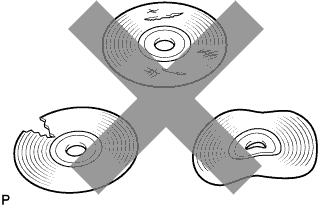
Check that the CD is not deformed or cracked.
- OK:
- No deformation or cracks in the CD.
NAVIGATION SYSTEM (for DVD) > CD Sound Skips |
| 1.CHECK CD |
|
Check that the CD is not deformed or cracked.
|
| ||||
| OK | |
 |
| 2.CHECK CD |
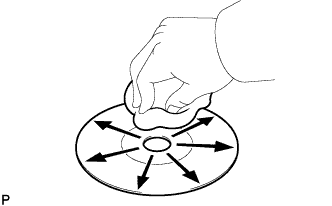 |
Check the CD.
|
| ||||
| OK | |
|
| 3.CHECK OPERATION OF ANOTHER CD |
Check using another CD.
Check if the problem recurs using another CD.
|
| ||||
| OK | ||
 | ||
| ||
| 4.CHECK NAVIGATION RECEIVER ASSEMBLY |
Check the navigation receiver assembly installation condition.
Check that the navigation receiver assembly is properly installed.
|
| ||||
| OK | ||
| ||
| ||

