RM3650E
_57
Power Source / Network
_080459
NETWORKING
_0390140
NETWORK GATEWAY ECU
A
NETWORKING NETWORK GATEWAY ECU INSTALLATION
PROCEDURE

 1.INSTALL ETHERNET SWITCH
a.
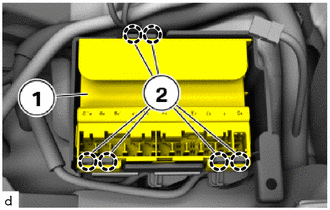
Attach the guides (2) to install the ethernet switch (1).
b.
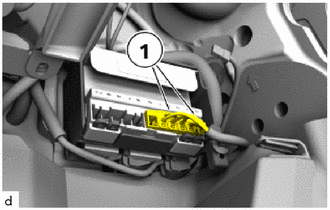
Connect connectors and lock.
55606
2.INSTALL NO. 1 INSTRUMENT PANEL UNDER COVER SUB-ASSEMBLY (for LHD)
55607
3.INSTALL NO. 2 INSTRUMENT PANEL UNDER COVER SUB-ASSEMBLY (for RHD)
4.CONNECT CABLE TO NEGATIVE BATTERY TERMINAL
·
B48 BATTERY
·
B58 BATTERY
5. EXECUTE A PORT CONFIGURATION WITH THE DIAGNOSIS SYSTEM
a.
Connect the diagnosis system to the vehicle and enter the following menus:
Vehicle management / Service functions / Body / Ethernet / Port configuration