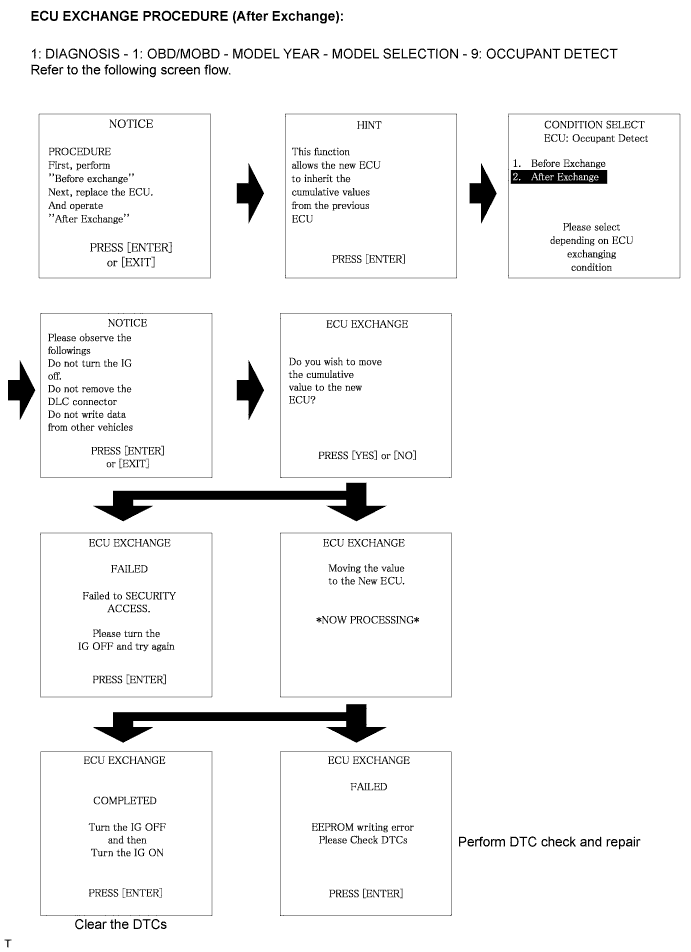
Clear the DTCs stored in the memory (Click here).
- HINT:
- If DTC is not cleared at this time, past DTC will remain.
OCCUPANT CLASSIFICATION SYSTEM (for Bench Seat Type) > REGISTRATION |
| 1. REGISTRATION |
Connect the intelligent tester to the DLC3.
Turn the ignition switch to the ON position.
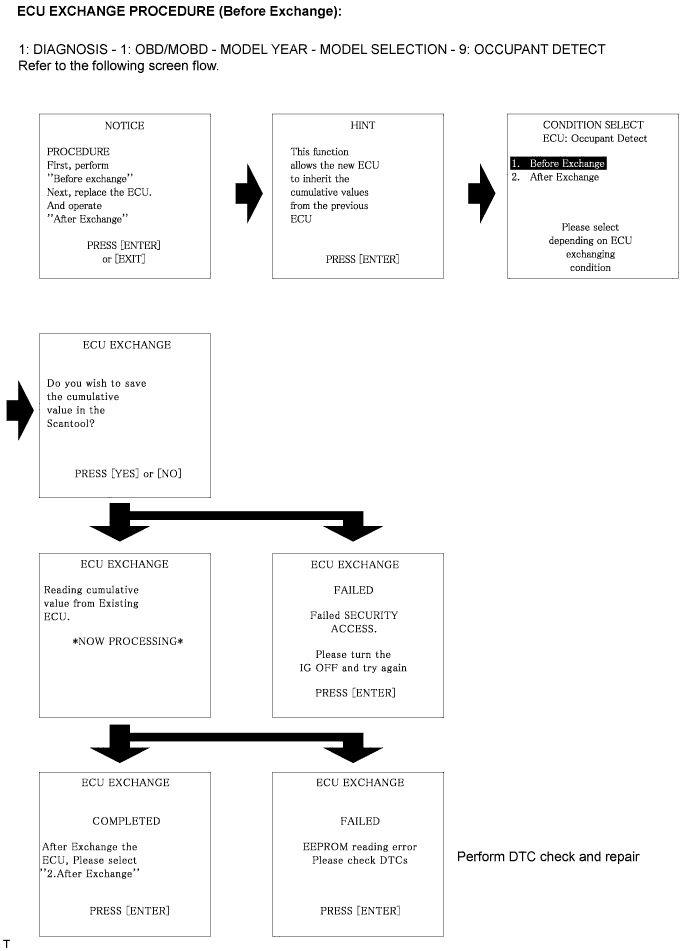
Store the occupant classification ECU data into the intelligent tester by following the prompts on the tester screen.
Turn the ignition switch to the LOCK position.
Disconnect the negative (-) terminal cable from the battery, and wait for at least 90 seconds.
Replace the occupant classification ECU (Click here).
Connect the negative (-) terminal cable to the battery.
Turn the ignition switch to the ON position.
Load the data from the previous ECU stored in the tester, into the newly installed ECU by following the prompts on the tester screen.
Turn the ignition switch to the LOCK position.
Turn the ignition switch to the ON position.
Clear the DTCs stored in the memory (Click here).