 |
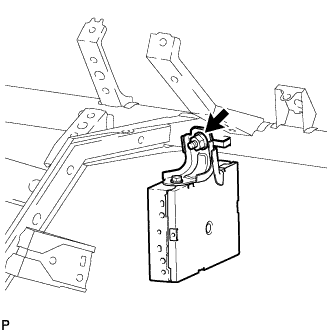
Remove the nut.
MULTI-MEDIA INTERFACE ECU > REMOVAL |
| 1. PRECAUTION |
| 2. DISCONNECT CABLE FROM NEGATIVE BATTERY TERMINAL |
| 3. REMOVE INSTRUMENT PANEL SUB-ASSEMBLY |
for Column Shift Type:
Remove the instrument panel (Click here).
for Floor Shift Type:
Remove the instrument panel (Click here).
| 4. REMOVE MULTI-MEDIA INTERFACE ECU |
|
Remove the nut.
Disconnect the connector and remove the multi-media interface ECU.
| 5. REMOVE MULTI-DISPLAY CONTROLLER BRACKET A |
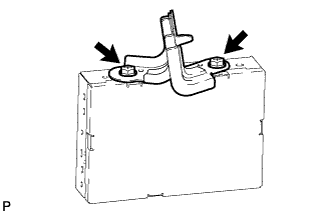 |
Remove the 2 bolts and multi-display controller bracket A.