FA20 COOLING COOLING FAN MOTOR REMOVAL
PROCEDURE

 17701
1.REMOVE AIR CLEANER CASE SUB-ASSEMBLY
52119A
2.REMOVE FRONT BUMPER COVER
17764
3.REMOVE AIR CLEANER DUCT
53291B
4.REMOVE RADIATOR COVER PLATE
16470
5.REMOVE RADIATOR RESERVE TANK ASSEMBLY
16502
6.REMOVE WATER FILLER SUB-ASSEMBLY
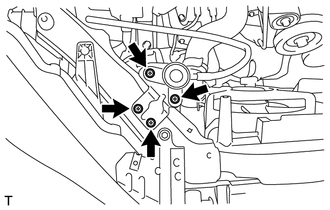
Remove the 4 bolts and separate the water filler sub-assembly.
53510
7.DISCONNECT HOOD LOCK ASSEMBLY (for LHD)
53510
8.DISCONNECT HOOD LOCK ASSEMBLY (for RHD)
53201
9.REMOVE RADIATOR SUPPORT SUB-ASSEMBLY
16711
10.REMOVE FAN SHROUD
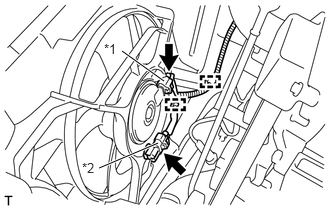
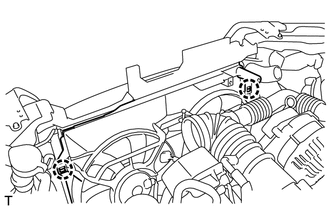
Disconnect the 2 wire harness clamps and the 2 cooling fan motor connectors.
| *1 | Cooling fan motor connector |
| *2 | No. 2 cooling fan motor connector (with Air Conditioning System) |
- NOTICE:
-
Be careful not to damage the connectors.
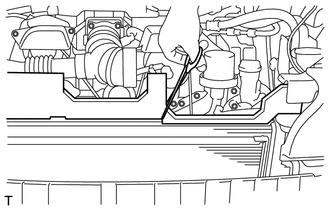
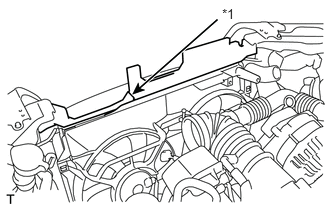
Mark the sponge on the upper surface of the fan shroud, and use scissors, etc. to cut the sponge.
- HINT:
-
Cut the radiator packing at the position between the corner of the radiator packing and the edge of the fun shroud.
| *1 | Cutting Line |
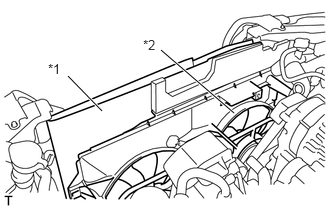
Detach the 2 claws and separate the fan shroud from the radiator assembly.
| *1 | Cardboard or Blanket |
| *2 | Fan shroud |
- HINT:
-
Insert a cardboard or a blanket between the radiator assembly and the fan shroud to protect the radiator assembly.
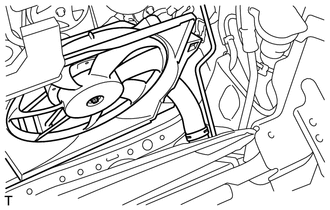
Remove the fan shroud from the radiator assembly.
- NOTICE:
-
Do not apply any excessive force to the outlet radiator hose, inlet radiator hose, No. 1 radiator hose, pipe or water filler sub-assembly when removing the fan shroud.
16361
11.REMOVE FAN
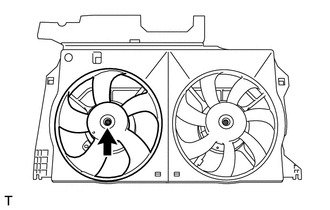
Remove the nut and fan.
16361B
12.REMOVE NO. 2 FAN (w/ Air Conditioning System)
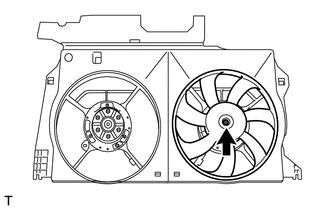
Remove the nut and No. 2 fan.
16363
13.REMOVE COOLING FAN MOTOR (w/o Air Conditioning System)
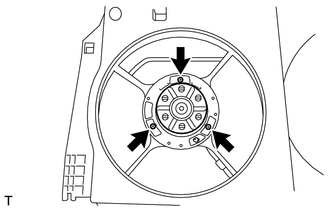
Remove the 3 screws and cooling fan motor.
16363
14.REMOVE COOLING FAN MOTOR (w/ Air Conditioning System)
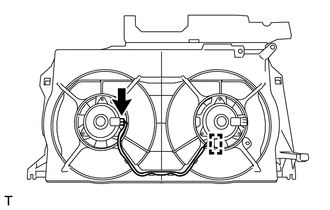
Disengage the connector clamp, and disconnect the connector from cooling fan motor.
Remove the 3 screws and cooling fan motor.
16363A
15.REMOVE NO. 2 COOLING FAN MOTOR (w/ Air Conditioning System)
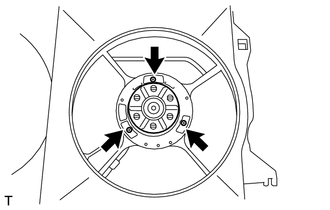
Remove the 3 screws and the No. 2 cooling fan motor.