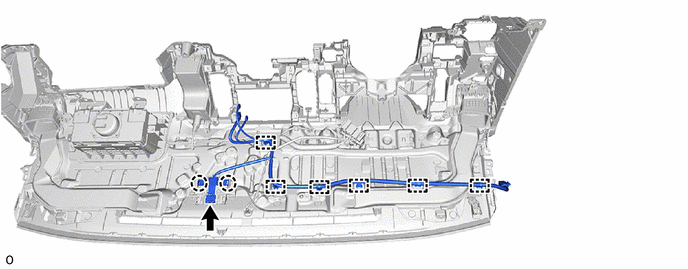
AUDIO / VIDEO RADIO ANTENNA CORD(for Instrument Panel Side) REMOVAL
CAUTION / NOTICE / HINT
The necessary procedures (adjustment, calibration, initialization or registration) that must be performed after parts are removed, installed or replaced during the radio antenna cord sub-assembly removal/installation are shown below.
| Replacement Part or Procedure | Necessary Procedures | Effect/Inoperative Function When Necessary Procedures are not Performed | Link |
|---|---|---|---|
| Disconnect cable from negative(-) battery terminal | Memorize steering angle neutral point | Parking assist monitor system | ( ) |
- HINT:
- ·
When the cable is disconnected/reconnected to the battery terminal, systems temporarily stop operating. However, each system has a function that completes learning the first time the systems is used.
-Learning completes when vehicle is driven
Effect/Inoperative Function When Necessary Procedures are not Performed Necessary Procedures Link *: w/ Stop and start system
Stop and start system* Drive the vehicle until stop and start control is permitted (approximately 5 to 60 minutes). ( )
Lane control system Drive the vehicle straight ahead at 15 km/h (10 mph) or more for 1 second or more. ( )
Pre-collision system
-Learning completes when vehicle is operated normally
Effect/Inoperative Function When Necessary Procedures are not Performed Necessary Procedures Link Power slide door system Fully close the slide door by hand.
- HINT:
-
Initialization is not necessary if the above procedures are performed while the slide door is closed.
( )
Air conditioning system After the ignition switch is turned to ON, the servo motor standard position is recognized. -
·Use the same procedure for RHD and LHD vehicles.
·The procedure listed below is for LHD vehicles.
PROCEDURE

 1. PRECAUTION (w/ Front Passenger Airbag)
- CAUTION:
-
-
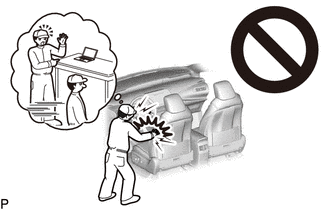
Be sure to read Precaution thoroughly before servicing.
- ·
for Type A:
Click hereVehicle Interior>SUPPLEMENTAL RESTRAINT SYSTEMS>AIRBAG SYSTEM (for Type A)>PRECAUTION
·for Type B:
Click hereVehicle Interior>SUPPLEMENTAL RESTRAINT SYSTEMS>AIRBAG SYSTEM (for Type B)>PRECAUTION
- NOTICE:
-
After turning the ignition switch off, waiting time may be required before disconnecting the cable from the negative (-) battery terminal.
-
Click hereGeneral>SETUP>WHEN DISCONNECTING OR RECONNECTING BATTERY TERMINAL>BEFORE DISCONNECTING BATTERY
2.DISCONNECT CABLE FROM NEGATIVE BATTERY TERMINAL (w/ Front Passenger Airbag)
Disconnect the cable from the negative (-) battery terminal.
for 7GR-FKS:
for 1GD-FTV:
- CAUTION:
-
- ·
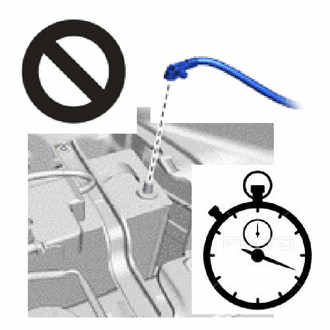
Wait at least 90 seconds after disconnecting the cable from the negative (-) battery terminal to disable the SRS system.
·If the airbag deploys for any reason, it may cause a serious accident.
3.REMOVE INSTRUMENT PANEL SAFETY PAD
55990C
4.REMOVE CENTER DEFROSTER NOZZLE ASSEMBLY
55843A
5.REMOVE NO. 1 HEATER TO REGISTER DUCT
55845A
6.REMOVE NO. 3 HEATER TO REGISTER DUCT
55844
7.REMOVE NO. 2 HEATER TO REGISTER DUCT
86101
8.REMOVE ANTENNA CORD SUB-ASSEMBLY (for LHD)
w/o Navigation Antenna:
Detach the clamp and remove the antenna cord sub-assembly.
w/ Navigation Antenna:
Disconnect the connector and detach the claw.
Detach the clamp and remove the antenna cord sub-assembly.
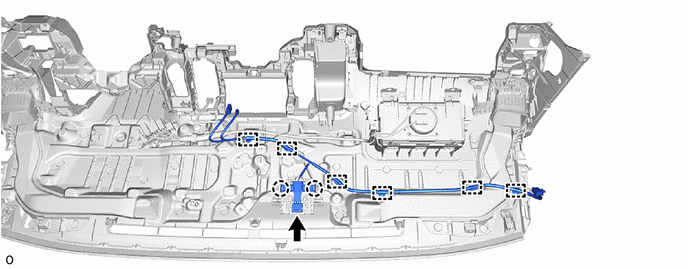
w/ Telematics Transceiver:
Disconnect the connector and detach the claw.
Detach the clamp and remove the antenna cord sub-assembly.
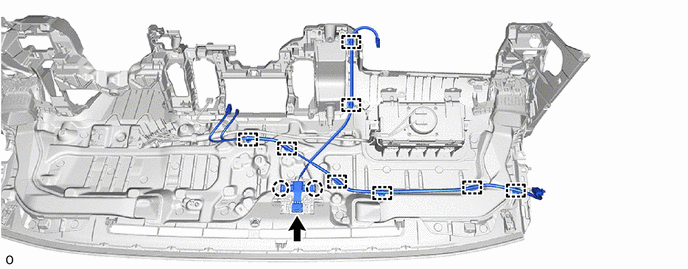
86101
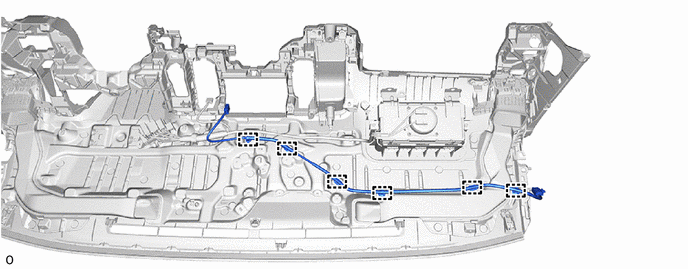
9.REMOVE ANTENNA CORD SUB-ASSEMBLY (for RHD)
w/o Navigation Antenna:
Detach the clamp and remove the antenna cord sub-assembly.
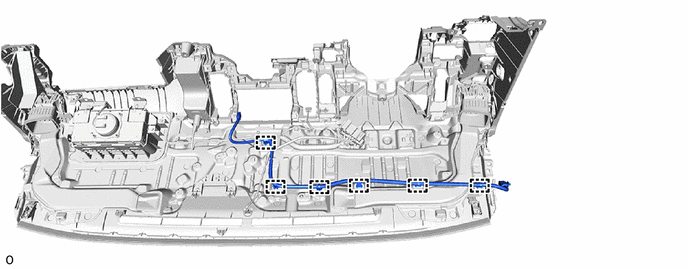
w/ Navigation Antenna:
Disconnect the connector and detach the claw.
Detach the clamp and remove the antenna cord sub-assembly.
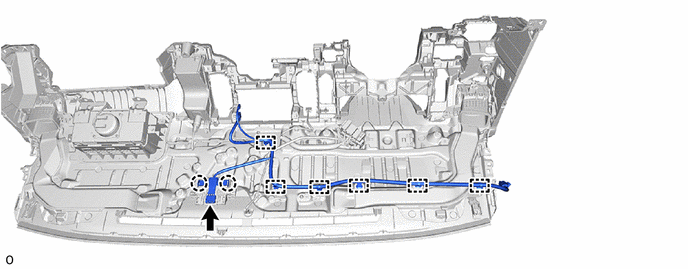
w/ Navigation Antenna, Digital Audio Broadcasting Antenna:
Disconnect the connector and detach the claw.
Detach the clamp and remove the antenna cord sub-assembly.