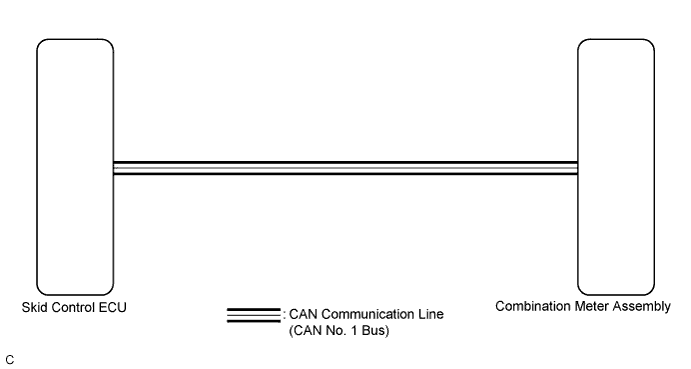
METER / GAUGE SYSTEM > Speedometer Malfunction |
| 1.CHECK CAN COMMUNICATION SYSTEM |
Check if a CAN communication DTC is output (Click here).
| Result | Proceed to |
| CAN communication DTC is not output. | A |
| CAN communication DTC is output. | B |
|
| ||||
| A | |
 |
| 2.PERFORM ACTIVE TEST USING TECHSTREAM (SPEED METER OPERATION) |
Connect Techstream to the DLC3.
Power switch on (READY).
Turn the tester on.
Enter the following menus: Body Electrical / Combination Meter / Active Test.
Check the operation by referring to the values in the table below.
| Tester Display | Test Part | Control Range | Diagnostic Note |
| Speed Meter Operation | Speedometer | 0, 40, 80, 120 mph (*1) | - |
| 0, 40, 80, 120, 160, 200, 240 km/h (*2) |
|
| ||||
| OK | |
|
| 3.READ VALUE USING TECHSTREAM (VEHICLE SPEED METER) |
Connect Techstream to the DLC3.
Power switch on (READY).
Turn the tester on.
Enter the following menus: Body Electrical / Combination Meter / Data List.
Check the values by referring to the values in the table below.
| Tester Display | Measurement Item/Range | Normal Condition | Diagnostic Note |
| Vehicle Speed Meter | Vehicle speed/Min.: 0 km/h (0 mph), Max.: 255 km/h (158 mph) | Almost same as actual speed (Speedometer tester) | - |
|
| ||||
| OK | ||
 | ||
| ||
| 4.READ VALUE USING TECHSTREAM (FR/FL/RR/RL WHEEL SPEED) |
Connect Techstream to the DLC3.
Power switch on (READY).
Turn the tester on.
Enter the following menus: Chassis / ABS/VSC/TRAC / Data List.
Check the values by referring to the table below.
| Tester Display | Measurement Item/Range | Normal Condition | Diagnostic Note |
| FR/FL/RR/RL Wheel Speed | Vehicle speed/Min.: 0 km/h (0 mph), Max.: 326 km/h (202 mph) | Almost same as actual speed (Speedometer tester) | - |
|
| ||||
| OK | |
|
| 5.REPLACE SKID CONTROL ECU |
Replace the skid control ECU with a new or a normal one .
|
| ||||
| OK | ||
| ||
| ||

