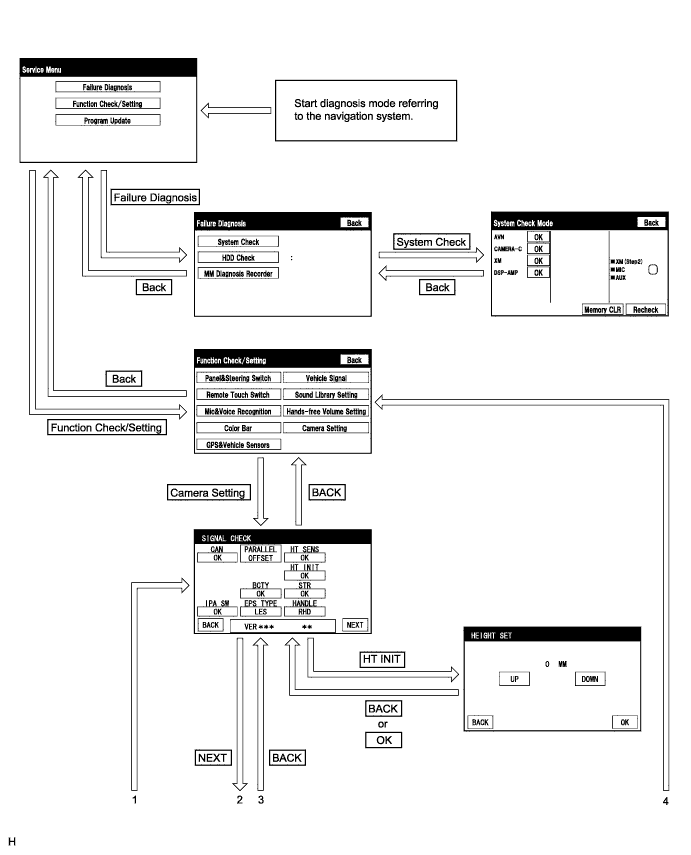
INTELLIGENT PARKING ASSIST SYSTEM > DIAGNOSIS SYSTEM |
| INTELLIGENT PARKING ASSIST OR DIAGNOSIS SYSTEM |
For intelligent parking assist system diagnosis, signals received by the parking assist ECU can be checked and the intelligent parking assist system can be calibrated, adjusted and checked using the navigation receiver assembly.
| DIAGNOSIS SCREEN TRANSITION (during parking assist ECU initialization) |
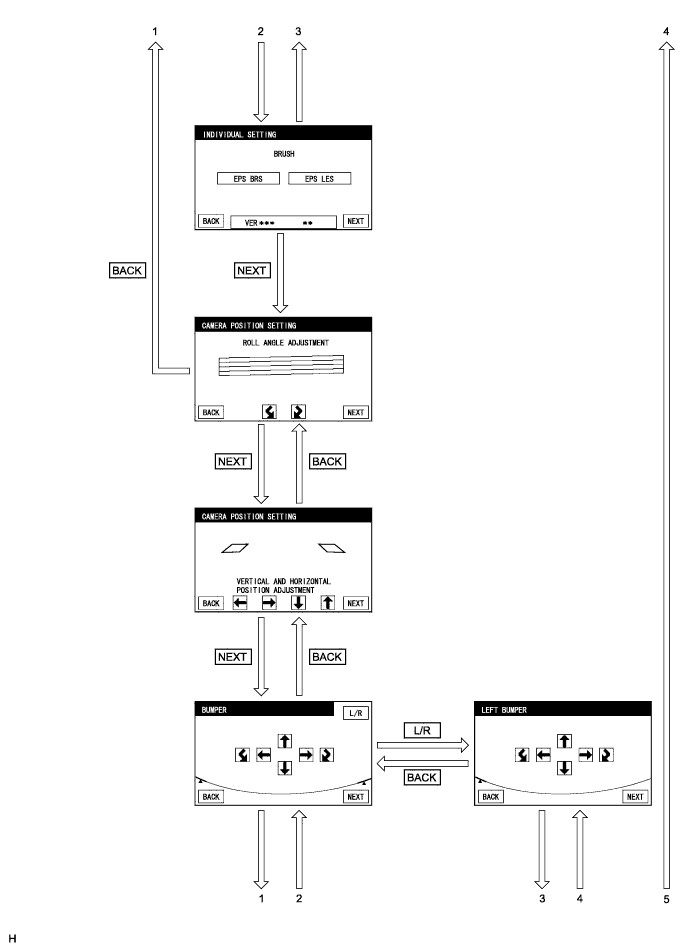
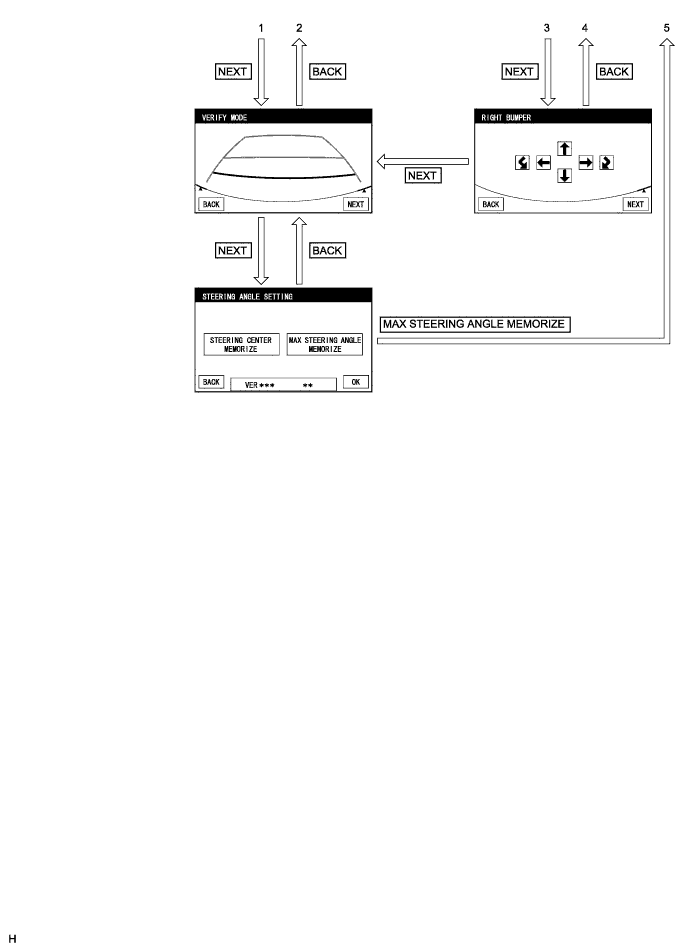
| DIAGNOSIS SCREEN TRANSITION (after parking assist ECU initialization) |
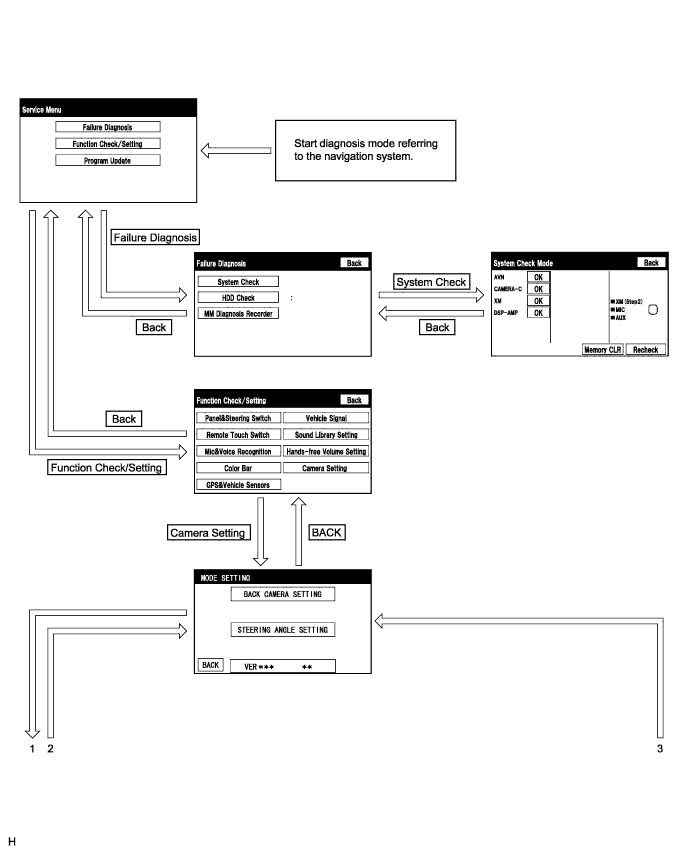
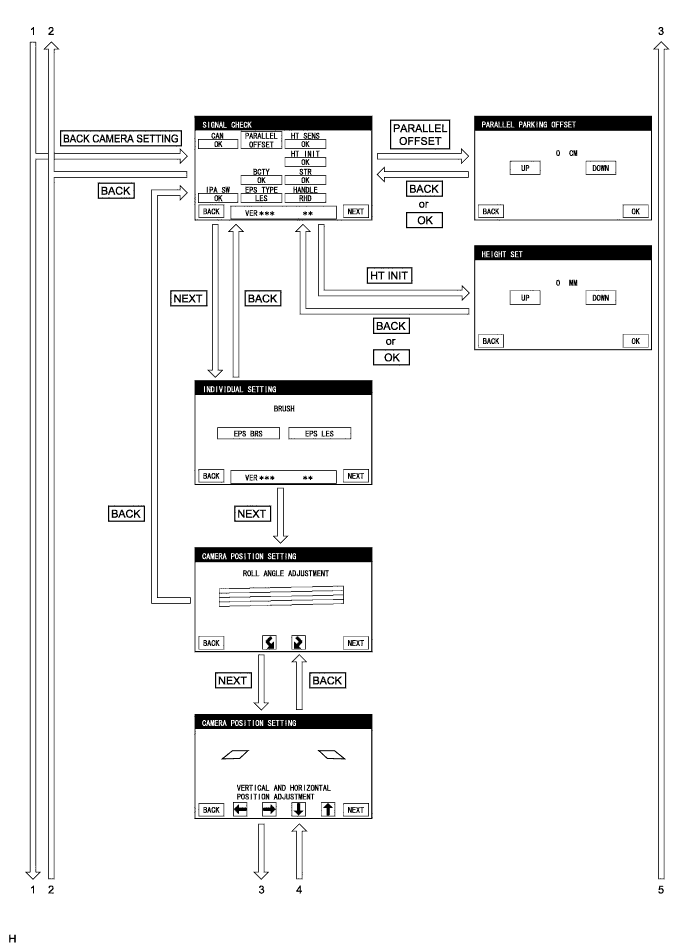
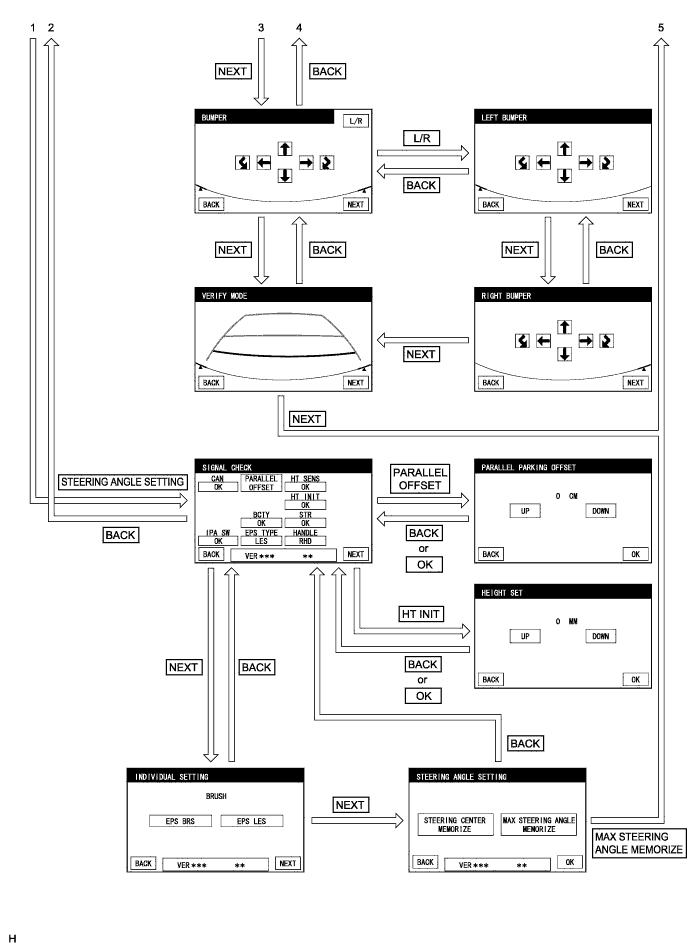
| DIAGNOSTIC MODE |
Start diagnostic mode (Click here).
Failure diagnosis.
System check (check using system check mode screen).
Finish diagnostic mode.
| SIGNAL CHECK (parking assist ECU input signal) |
Start diagnostic mode (Click here).
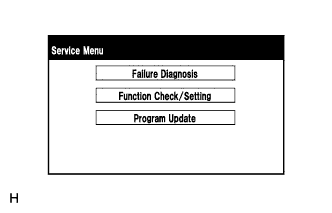 |
Select "Function Check/Setting" on the Service Menu screen to display the Function Check/Setting screen.
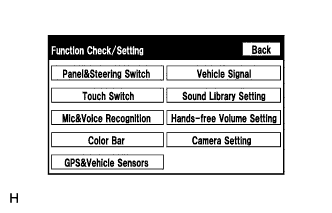 |
Select "Camera Setting" on the Function Check/Setting screen.
| Parking Assist ECU Initialization | Screen Transition |
| Not performed | SIGNAL CHECK screen |
| Performed | MODE SETTING screen |
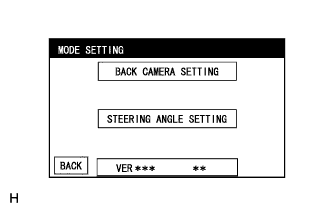 |
When the screen changes to the MODE SETTING screen, select "BACK CAMERA SETTING" to display the SIGNAL CHECK screen.
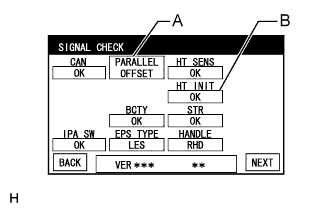 |
SIGNAL CHECK
On the SIGNAL CHECK screen, the following contents are possible:
| Item | Inspection Detail | Note |
| CAN | CAN communication status | When "CHK" (red) is displayed, selecting "NEXT" will not change to the next screen. |
| IPA SW | Parking assist pre support switch signal input | |
| BCTY | CAN communication condition with main body ECU (multiplex network body ECU) | |
| EPS TYPE | Brush information for EPS currently selected | - |
| HT SENS | Height control sensor signal input | When "CHK" (red) is displayed, selecting "NEXT" will not change to the next screen. |
| HT INIT | Vehicle height difference setting status | |
| STR | Steering angle sensor signal input | |
| HANDLE | Steering position signal input |
| Button | Transit Screen | Adjustment Contents |
| A | PARALLEL PARKING OFF SET | Parking position for parallel parking mode |
| B | HEIGHT SET | Height control sensor vehicle height difference setting (Click here) |
CAN inspection
IPA SW inspection
Check that "OK" (blue) is displayed for "IPA SW" and select "OK".
Check that "OK" (blue) changes to "CHK" (red). Press the parking assist pre support switch and check that "CHK" (red) returns to "OK" (blue).
BCTY inspection
EPS TYPE inspection
Confirm the "EPS LES" is selected on the INDIVIDUAL SETTING screen.
HT SENS inspection
HT INIT inspection
| Displayed Content | Cause | Troubleshooting |
| CHK (red) |
|
|
STR inspection
HANDLE inspection
Finish diagnostic mode (Click here).
| CALIBRATION WHEN SERVICING VEHICLE |
| STEERING ANGLE SETTING (after parking assist ECU is initialized) |
Center the steering wheel and stop the vehicle.
Start diagnostic mode.
|
Select "Function Check/Setting" on the Service Menu screen.
|
Select "Camera Setting" on the Function Check/Setting screen.
|
Select "STEERING ANGLE SETTING" on the MODE SETTING screen.
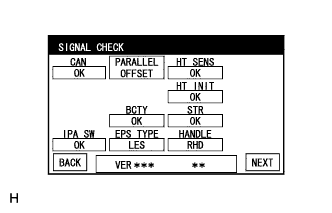 |
Select "NEXT" on the SIGNAL CHECK screen.
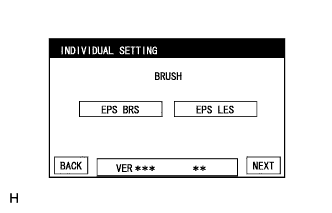 |
Individual setting
Select the "EPS LES" on the INDIVIDUAL SETTING screen.
Select "NEXT" on the INDIVIDUAL SETTING screen.
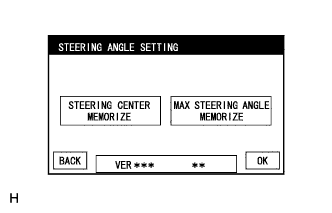 |
Steering angle setting
Check that the steering wheel is centered (approximately +/- 5 degrees or less) and select "STEERING CENTER MEMORIZE".
After the centered steering position is memorized, turn the steering wheel to the left and then to the right full lock positions and select "MAX STEERING ANGLE MEMORIZE".
Select "MAX STEERING ANGLE MEMORIZE" to store the steering angle adjustment value and change the screen to the MODE SETTING screen.
Finish diagnostic mode.
Confirm steering angle adjustment.
Check on the intelligent parking assist screen that the predicted path line moves until the steering wheel is fully turned to either the left or right.
| PARKING POSITION HORIZONTAL ADJUSTMENT FOR PARALLEL PARKING MODE |
Start diagnostic mode.
|
Select "Function Check/Setting" on the Service Menu screen.
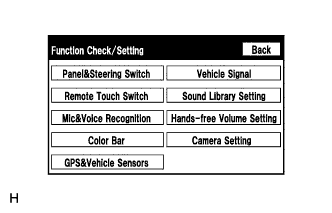 |
Select "Camera Setting" on the Function Check/Setting screen.
|
Select "BACK CAMERA SETTING" or "STEERING ANGLE SETTING" on the MODE SETTING screen.
|
Select "PARALLEL OFFSET" on the SIGNAL CHECK screen.
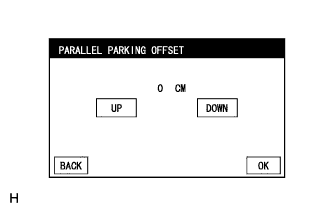 |
PARALLEL PARKING OFFSET
Press "UP" or "DOWN" to adjust the parallel parking position horizontal offset amount.
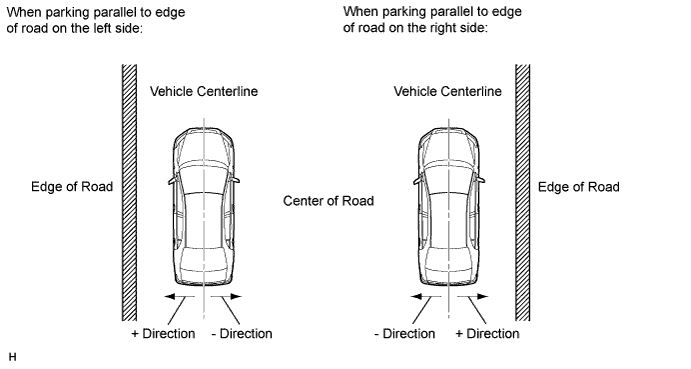
When "OK" is selected, the screen switches to the signal connection screen and a set value is stored.
Finish diagnostic mode.