METER / GAUGE / DISPLAY METER / GAUGE SYSTEM Speedometer Malfunction
DESCRIPTION
The combination meter receives vehicle speed signals from the skid control ECU via the CAN line. The vehicle speed sensor detects the voltage that varies according to the vehicle speed. The skid control ECU supplies power to the vehicle speed sensor. The skid control ECU detects vehicle speed signals based on the pulses of the voltage.
WIRING DIAGRAM
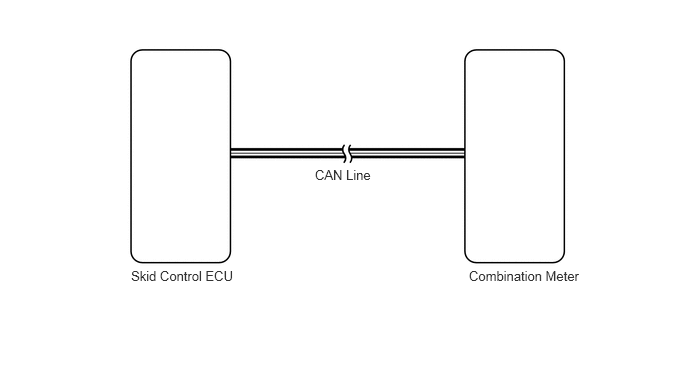
PROCEDURE
Use the Techstream to check if the CAN communication system is functioning normally (See page Vehicle Interior>METER / GAUGE / DISPLAY>METER / GAUGE SYSTEM>DTC CHECK / CLEAR).
| Result | Proceed to |
|---|---|
| CAN communication DTC is not output | A |
| CAN communication DTC is output | B |
A
B
Use the Techstream to check if the SFI system is functioning normally (See page Vehicle Interior>METER / GAUGE / DISPLAY>METER / GAUGE SYSTEM>DTC CHECK / CLEAR).
| Result | Proceed to |
|---|---|
| SFI system DTC is not output | A |
| SFI system (for 3UR-FE) DTC is output | B |
| SFI system (for 3UR-FBE) DTC is output | C |
A
B
C
Connect the Techstream to the DLC3.
Turn the ignition switch to ON.
Turn the Techstream ON.
Enter the following menus: Body Electrical / Combination Meter / Active Test.
According to the display on the Techstream, perform the Active Test.
| Tester Display | Test Part | Control Range | Diagnostic Note |
|---|---|---|---|
| Speed Meter Operation | Speedometer | 0, 40, 80, 120, 160, 200, 240 or 280 | Acceptable range (km/h or mph): [Control range → Speedometer display]
for mph ·
40 mph → 39 to 42.5 mph ·
80 mph → 79.5 to 84 mph for km/h ·
40 km/h → 38 to 42 km/h ·
80 km/h → 78 to 84 km/h ·
120 km/h → 119 to 125 km/h ·
160 km/h → 159 to 167 km/h |
- OK:
Needle indication is normal.
- HINT:
- ·
Confirm that the vehicle is stopped and engine is idling. It is normal that door will be locked automatically when performing the speedometer Active Test.
·The displayed value has the same units (km/h, mph) as the main scale of the vehicle speedometer.
·The needle position should be within the acceptable tolerance.
OK
NG
Connect the Techstream to the DLC3.
Turn the ignition switch to ON.
Turn the Techstream ON.
Enter the following menus: Body Electrical / Combination Meter / Data List.
According to the display on the Techstream, read the Data List.
| Tester Display | Measurement Item/Range | Normal Condition | Diagnostic Note |
|---|---|---|---|
| Vehicle Speed Meter | Vehicle speed/Min.: 0 (0), Max.: 255 (158) | Almost same as actual speed (when driving) | Unit: km/h (mph) |
- OK:
Vehicle speed displayed on the Techstream is almost the same as actual vehicle speed measured using speedometer tester (calibrated chassis dynamometer).
OK
NG
Connect the Techstream to the DLC3.
Turn the ignition switch to ON.
Turn the Techstream ON.
Enter the following menus: Chassis / ABS/VSC/TRAC / Data List.
According to the display on the Techstream, read the Data List.
| Tester Display | Measurement Item/Range | Normal Condition | Diagnostic Note |
|---|---|---|---|
| (FL/FR/RL/RR) Wheel Speed | Wheel speed sensor (FL/FR/RL/RR) reading/Min.: 0 (0), Max.: 326 (202) | Actual wheel speed | Similar speed as indicated on speedometer |
- OK:
Vehicle speed displayed on the Techstream is almost the same as actual vehicle speed measured using speedometer tester (calibrated chassis dynamometer).
OK
NG