Brake Warning Light does not Come ON
Circuit diagnosis · Vehicles built from Nov 2005
WIRING DIAGRAM
Click here.INSPECTION PROCEDURE
- NOTICE:
- When replacing the ABS and TRACTION actuator, perform zero point calibration (Click here).
| 1. CHECK CAN COMMUNICATION SYSTEM |

Check if the CAN communication system DTC is output (Click here).
- Result:
Result
Proceed to
DTC not output
A
DTC output
B
|
|
||||

| A | |
 |
| 2. PERFORM ACTIVE TEST USING INTELLIGENT TESTER (BRAKE WARNING LIGHT) |
Connect the intelligent tester to the DLC3.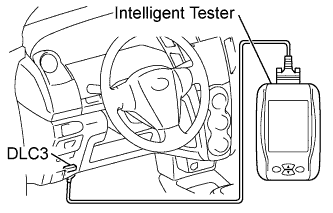

Turn the ignition switch on (IG).
Turn the tester on.
Select the "Brake Warning Lamp" in the ACTIVE TEST and operate the BRAKE warning light using the intelligent tester.Select the following menu items: Chassis / ABS/VSC/TRC / Active Test.
ACTIVE TEST: ABS/VSC/TRC Item (Display)
Test Details
Diagnostic Note
Brake Warning Lamp
Turns BRAKE warning light ON and OFF
Observe combination meter
Check that the BRAKE warning light turns on and off in the combination meter using the intelligent tester.
- OK:
- The BRAKE warning light turns ON and OFF in accordance with the intelligent tester operation.
|
|
||||
| NG | |
|
| 3. INSPECT COMBINATION METER |
Inspect the combination meter (Click here).
|
|
||||
| OK | ||
 |
||
| ||